Hi, I’m Mushtaq, and I looked into Increditools because people often come across review websites while searching for software, social media tools, or online services. But here’s the thing: a website that reviews a product isn’t always the company that makes it.
In this article, I’ll explain three things in simple words: what the site does, how to judge its reviews, and what you should check before paying for a tool it recommends.
What Is Increditools, and What Does It Actually Do?
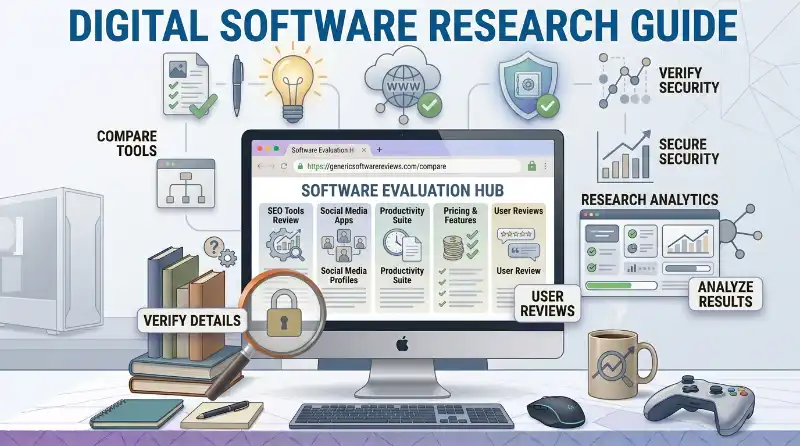
Increditools is a technology information and review website. Its website says it publishes content about software, online services, digital tools, and technology products.
That means you can read its articles to learn about different tools before deciding which ones are worth checking out.
Think of it this way: you want a tool for your website, but you don’t know where to start. A review article might introduce you to a few options and explain what each one is supposed to do.
The website is the place where you read about the products. The companies behind those products are the ones that provide the actual services.
Is It a Software Product or a Review Website?
It’s presented as a review and information platform, not one app that handles a specific task.
For example, if you need an SEO tool, you might read an article that compares several products. You’d then visit the official websites of the tools that interest you.
Here’s the simple difference:
- Review website: Helps you research and compare products.
- Software provider: Makes or operates the product you may want to use.
- Official product website: Where you check the latest features, prices, and terms.
Honestly, this difference matters more than it might seem. If you read a review of a particular app, don’t assume the review website owns or operates that app.
What Kind of Information Can You Find?
The platform says its content covers several areas, including:
- Social media and marketing tools
- SEO software
- Productivity apps
- Cybersecurity and online privacy
- Other digital services
Depending on the article, you may find details about a product’s features, uses, pricing, or alternatives.
Still, don’t assume every article covers all these points. Read the actual review and see what information it provides.
The easiest way to think about the site is as a place to begin your research, not a replacement for checking the product yourself.
How Can You Use Increditools to Compare Digital Tools?
Let’s say you want to find a tool for keyword research, social media management, or another online task.
You could search for products one by one, but that can take time. A review article may help you understand the basic differences before you visit each provider’s website.
For example, imagine you’re choosing an SEO tool. One product might focus on keyword ideas, while another may offer backlink analysis or site audits.
Knowing those differences can help you narrow down your options.
What Makes a Software Review Useful?
A useful review should explain what a product does in a way you can understand.
It should also give you enough information to decide what to investigate next.
Look for details like these:
- Purpose: What problem does the tool solve?
- Features: What can you actually do with it?
- Pricing: What does the provider charge right now?
- Limitations: Are there features or usage limits you should know about?
- Alternatives: Are there other tools that may fit your needs better?
For instance, if a review says a tool has a free plan, check the provider’s website to see what that plan includes. It might have limits on how often you can use a feature or how much data you can access.
That’s why I wouldn’t make a purchase based on a short summary alone. Use the review to build a shortlist, then check the details that matter to you.
Also read: Best AI Tools for Different Tasks
Does a Comparison Automatically Tell You Which Tool Is Best?
Not necessarily.
A comparison can help you see the differences between products, but the best choice depends on what you’re trying to do.
A tool that’s great for a marketing agency might be too complicated for a student running a small website. Another product might have fewer features but cost much less.
Before choosing, ask yourself:
- What do I need this tool to do?
- Which features will I actually use?
- Does the price fit my budget?
- Are there any limits that could cause problems later?
Once you answer those questions, it’s much easier to compare your options without getting distracted by features you don’t need.
What Types of Digital Tools Does the Website Cover?
The platform describes its coverage as a mix of software, online services, and technology resources. Each category comes with different things to consider.
A social media tool, for example, may need access to an account. A productivity app may need to connect with your calendar or work files. A security product raises different questions about privacy and data protection.
So, don’t judge every product by the same checklist.
Social Media and Marketing Tools
These tools may help users manage social media tasks, review analytics, or organize marketing work.
Before using one, check what it actually does and what permissions it requests.
If it automates actions on a social platform, read that platform’s current rules first. A tool being mentioned in a review doesn’t mean every use of it is allowed.
SEO and Business Software
SEO and business tools can support tasks such as keyword research, website analysis, project planning, and team collaboration.
But the label alone doesn’t tell you whether a product is useful.
If you need keyword ideas, look for features that help you find and evaluate keywords. If you need to manage a team project, focus on task assignments, deadlines, and collaboration.
In other words, start with your problem and then look for the tool that solves it.
Also read: Linkrify: What It Is and How It Works
Productivity, Privacy, and Other Online Services
Productivity apps can help organize work, while privacy and security tools may protect certain types of online activity or information.
The things you should check will depend on the product.
For a productivity app, you might focus on ease of use, integrations, and price. For a privacy tool, you should pay closer attention to permissions, data handling, and the provider’s privacy policy.
My advice is simple: don’t sign up just because a product sounds useful. First, understand what it does and what access it needs.
Does Increditools Test Every Product It Reviews?
This is one of the questions I’d check before relying heavily on a review.
The site’s About page describes its content as reviews, comparisons, and educational resources. However, that description alone doesn’t establish that every product has been independently tested using the same process.
Some review articles may provide detailed evidence of hands-on testing. Others may focus more on product features and information from the provider.
You need to look at the individual article to see which kind you’re reading.
How Can You Tell Whether a Review Includes Hands-On Testing?
Look for clear details about how the product was evaluated.
For example, does the writer explain which features they tried? Do they mention the plan or version they used? Are there screenshots, test results, or specific examples from actual use?
These details can help you judge how much evidence the article offers.
A few useful questions to ask are:
- Does the writer say they personally tested the product?
- Does the article explain what was tested?
- Are the claims supported by examples or results?
- Does it separate the provider’s claims from the writer’s own findings?
- Can you verify important details somewhere else?
If an article doesn’t explain its testing process, don’t assume the product was independently tested. But don’t automatically assume it was never tested, either.
The honest answer is that you need enough evidence before making that judgment.
Also read: Publisuites Tech: What You Should Know
Why Does the Review Method Matter?
Imagine a review says that a tool is easy to use.
That could mean the writer tried it and found the interface simple. It could also mean the article is describing the product based on available information.
Those are two different kinds of evidence.
A detailed testing explanation helps you understand the difference. If the article doesn’t provide one, use it to learn about the product, then do more research before spending money.
Is Increditools Legit, and Should You Trust Its Reviews?
I’d separate this into two questions.
First, is the website presenting itself as a real technology review platform? Its current About page says that it publishes information about software and digital services.
Second, does that mean every statement and recommendation on the website is accurate? Not automatically.
A website can publish useful information without every article being equally detailed, current, or well-supported.
How Should You Check Whether a Review Is Reliable?
Start with the article itself.
Look for the author, the date, the evidence behind the claims, and any explanation of how the product was evaluated.
Then check the most important details with the company that provides the product.
For example:
- If the article lists a price, check the current pricing page.
- If it describes a feature, confirm that the feature is still available.
- If it makes a privacy claim, read the provider’s privacy policy.
- If it mentions an integration, check the provider’s current documentation.
This is a better way to judge a review than relying on a simple label like “trusted” or “legit.”
Can Another Review Help You Decide?
Yes. Reading another source can help you spot differences or questions that the first article didn’t cover.
You can also check a niche technology publication such as Borkwood Blog’s IncrediTools review for another perspective. Treat it as another source to compare, not automatic proof that a claim is correct.
If two sources disagree, look for evidence and check the product provider’s current information.
Also read: Perplexity AI Explained
How Does Increditools Make Money?
A review website may earn money through advertising, affiliate links, sponsorships, or other business arrangements. The exact model can differ from one publisher to another.
An affiliate link is a link that may allow a publisher to earn a commission if a reader completes a qualifying purchase or action.
The basic process looks like this:
Read a review → click a referral link → visit the provider → make a qualifying purchase → the publisher may earn a commission.
An affiliate relationship doesn’t automatically make a review false or useless. What matters is whether the relationship is disclosed clearly and whether the review gives readers enough information to judge the product.
What Should You Look for in an Affiliate Disclosure?
Look for a clear statement explaining whether the publisher may earn money from links in the article.
The U.S. Federal Trade Commission explains that material connections behind endorsements should be disclosed clearly so readers can take that relationship into account. You can read its explanation in the FTC’s guide to endorsement disclosures.
That guidance is useful when evaluating online recommendations in general. It doesn’t, by itself, tell you how a particular review was written or whether a particular recommendation is accurate.
My advice? Notice any disclosure, then check the claims and compare your options before buying.
Also read: Free Online Image Converter
Final Thoughts From Me, Mushtaq
When I research a review website, I don’t stop at the headline or the product ranking. I look at what the article actually explains, what evidence it gives, and which details I can confirm elsewhere.
That’s the approach I’d recommend here, too.
Use the site to discover tools and understand your options. Before paying for anything, check the official product website, current pricing, features, privacy terms, and any permissions the tool requests.
A review can save you time, but it shouldn’t make the decision for you. Compare the evidence, try a free version if one is available, and choose the product that fits your needs.
That’s the simplest way to make a smarter choice without relying on one website alone.



1 thought on “Increditools: What It Is, How It Works, and Can You Trust Its Reviews?”