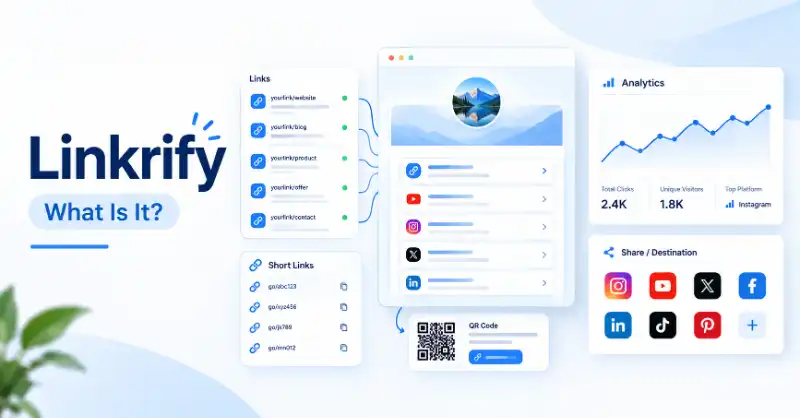
If you searched for Linkrify, you may simply want to know what it is, what it does, and whether it is the right website for you. The confusing part is that Linkrify is not limited to one type of online service. Different websites use the Linkrify name, and their features can be very different.
For example, Linkrify.com presents itself as a link-management and bio-link platform with features such as bio pages, short links, QR codes, analytics, file links, vCards, event links, and other web tools. Linkrify.org, on the other hand, presents itself as a collection of free SEO, writing, and content tools.
That difference matters. If you search only for the name “Linkrify” without checking the domain, you may end up on a service that does not match what you were looking for. This guide separates the different Linkrify websites first, then explains what the relevant services are actually designed to do.
Problem-Focused Reader Bridge
Are you trying to figure out what Linkrify actually means?
Did you find more than one Linkrify website and wonder whether they are the same company or service? Are you looking for a bio-link page, a URL shortener, QR codes, link analytics, SEO tools, or something completely different?
You may also be asking:
- Which Linkrify website should you use?
- What is Linkrify.com actually for?
- What is Linkrify.org used for?
- How can you tell whether a Linkrify website matches your needs?
- What should you check before creating an account or using a link?
If these are the questions you have, the first step is not to create an account. First, identify which Linkrify service you have found and understand what that particular website is designed to do.
What Is Linkrify and What Is It Used For?
The word Linkrify can be confusing because it is used as a brand name by different web properties. Therefore, its meaning cannot be understood correctly from the name alone.
The safest approach is to separate the name itself from the specific website behind it.
What Does “Linkrify” Mean?
“Linkrify” is a brand-style name built around the idea of links and making them more useful or manageable.
In practical terms, the name can be associated with online services that help users create, organize, share, shorten, track, or otherwise work with links. However, the exact purpose depends on the domain you are visiting.
For example, Linkrify.com describes its service as an all-in-one link-management and bio-link platform. It includes tools for creating bio pages, shortened URLs, QR codes, file links, vCards, event links, and more.
This means you should not treat “Linkrify” as one universal tool with one fixed meaning.
A better way to understand it is:
Linkrify = a name used for different online services, so the exact meaning depends on the website and its features.
That distinction prevents one of the most common mistakes when researching the term.
What Is Linkrify Designed to Do?
If you are referring specifically to Linkrify.com, its main purpose is to help users manage and share different types of online destinations from one platform.
For example, someone may have:
- A personal website
- A YouTube channel
- Social media profiles
- An online store
- A portfolio
- Contact information
- Campaign or promotional pages
Instead of sharing every destination separately, a user can organize several destinations through a central link or bio page.
Linkrify.com also lists features such as shortened links, QR codes, analytics, file links, vCards, event links, static-site hosting, and other web utilities.
The important point is that these features are tools for specific problems, not features that every user necessarily needs.
For example:
| Your problem | A relevant Linkrify.com feature |
|---|---|
| Too many destinations to share | Bio-link page |
| A URL is difficult to share | Short link |
| You need a scannable printed link | QR code |
| You want to understand link activity | Analytics |
| You need to share contact details | vCard |
| You need to distribute a file | File link |
So instead of asking, “Do I need Linkrify?”, a more useful question is:
“Which problem am I trying to solve, and does this Linkrify service provide the feature I need?”
Why Might You See Different Linkrify Websites?
This is where many searches for Linkrify become confusing.
Different domains can use the same or similar brand name while offering different services.
For example:
- Linkrify.com focuses on link management, bio pages, short links, QR codes, analytics, and related web tools.
- Linkrify.org presents itself as a free collection of SEO, writing, and content tools, including plagiarism checking, grammar checking, keyword research, backlink checking, paraphrasing, PDF conversion, and other utilities.
These descriptions show why simply searching the word Linkrify is not enough.
The domain is important.
Think of it this way:
Same name ≠ automatically the same service.
Before you assume that two Linkrify websites are connected, compare their domains, descriptions, features, contact information, privacy pages, and terms.
That simple check can prevent you from following the wrong service.
Which Linkrify Website Are You Looking For?
Once you understand that different Linkrify domains can have different purposes, the next step is to identify the website that matches your search.
You do not need to explore every feature. Start with the problem you are trying to solve.
What Is Linkrify.com Used For?
Linkrify.com is positioned as an all-in-one link-management and bio-link platform.
Its homepage currently highlights features including:
- Bio-link pages
- Shortened URLs
- QR codes
- File links
- vCard links
- Event links
- Static-site hosting
- Link analytics
- Tracking features
- Various online tools
The bio-link feature is particularly useful when you want to put several destinations behind one public page.
For example, a creator could use one profile link to direct visitors to a website, social profile, video channel, store, or other destinations.
The short-link feature serves a different purpose: making long URLs easier to share.
QR codes solve another problem by allowing people to open a destination through a scan rather than manually typing a URL.
Analytics can then help users understand activity around their links.
So if your search is related to bio links, link management, URL shortening, QR codes, or link tracking, Linkrify.com is the Linkrify property that most directly matches that use case.
What Is Linkrify.org Used For?
Linkrify.org has a different focus.
Its homepage describes the website as a collection of free online tools for SEO, writing, and content-related tasks. Its listed tools include a plagiarism checker, grammar checker, paraphrasing tool, backlink checker, domain authority checker, keyword research, article rewriting, PDF-to-Word conversion, image compression, and other utilities.
That means someone searching for Linkrify because they need an SEO or writing utility may be looking for a completely different service from someone searching for a bio-link platform.
For example:
Need a bio page or short link?
Look at the service associated with Linkrify.com.
Need an SEO, writing, or content tool?
Linkrify.org is positioned around those types of utilities.
The distinction is important because it stops the article from treating every Linkrify domain as if it offered the same product.
How Can You Identify the Right Linkrify Website?
If Google shows several Linkrify results, use a simple identification process before signing up or entering information.
Step 1: Check the exact domain
Look carefully at the address bar.
Do not stop at the word “Linkrify.” Check whether you are on .com, .org, or another domain.
Step 2: Read the homepage description
Ask what the website says it actually does.
If the page talks about bio links, short URLs, QR codes, and link analytics, you are looking at a link-management service.
If it talks about plagiarism, grammar, keyword research, or other content tools, you are looking at a different type of service.
Step 3: Match the features to your problem
Do not choose a service simply because the name matches your search.
Instead, ask:
“Does this website provide the feature I came here to use?”
For example:
- Need multiple links on one page → look for a bio-link feature.
- Need a shorter URL → look for a URL-shortening feature.
- Need SEO utilities → look for SEO-related tools.
- Need writing assistance → check whether the site provides the specific writing tool you need.
Step 4: Check the site’s own information
Before creating an account, review the site’s:
- About information
- Contact page
- Privacy policy
- Terms and conditions
- Pricing or feature information
This helps you understand what service you are actually dealing with.
Step 5: Do not assume different domains are identical
Two websites can have similar names without offering the same service.
That is why identifying the exact domain should come before comparing features or deciding whether to register.
The simplest rule is:
Check the domain → understand the purpose → match the feature → then decide whether to use it.
What Can You Use Linkrify For?
Once you know which Linkrify website you are looking at, the next question is more practical: What can you actually use it for?
If you are using Linkrify.com, the answer depends on the type of link or online destination you want to manage. Instead of using every feature, choose the one that solves your specific problem.
How Does Linkrify Help You Organize Different Types of Links?
One common problem for creators, freelancers, businesses, and online sellers is having too many destinations to share.
You might have:
- A website
- A social media profile
- A YouTube channel
- An online store
- A portfolio
- A contact page
- A specific campaign or product page
Sharing all of these separately can make communication messy.
A bio-link or centralized link page can put multiple destinations in one place. Someone only needs to remember or open one main link, and the page can direct them to the destinations you choose.
For example:
One profile link → several useful destinations → easier navigation
This can be especially useful when your social profile gives you limited space for external links.
How Do Linkrify Bio Pages Help You Share Multiple Destinations?
A bio page is useful when you want one public page to act as a starting point for several other links.
Imagine a photographer who wants visitors to find:
- Their portfolio
- Instagram profile
- Booking page
- Contact information
- Latest project
Instead of constantly changing the main profile link, the photographer can use a central page containing those destinations.
The same idea can work for creators, freelancers, small businesses, online sellers, and personal brands.
The important benefit is not simply “having a bio page.”
The real benefit is giving visitors one clear place to decide where they want to go next.
How Can You Create Short Links and QR Codes?
Long URLs can be difficult to type, remember, print, or share.
A URL-shortening feature can turn a long web address into a shorter link that is easier to communicate.
QR codes solve a slightly different problem.
Instead of asking someone to type a URL, you can place a QR code on something such as:
- A business card
- A poster
- A menu
- Event material
- Printed marketing material
- A physical product or display
A person can scan the code with a compatible phone and access the associated destination.
However, a QR code should always point to the destination you actually intend to share. Before printing or distributing it, test the code yourself.
How Can Analytics and Link Tracking Help You?
A link is more useful when you can understand how people interact with it.
Analytics and tracking features can help you evaluate activity around links, depending on the service and configuration.
For example, if you share a campaign link, you may want to know whether people are clicking it rather than simply publishing the link and guessing whether anyone visited.
This can help you compare different links or understand which destinations receive more attention.
But there is an important limitation:
Link analytics should not automatically be treated as a complete picture of your audience.
A click can tell you about an interaction with a link, but it does not necessarily explain why someone clicked, what they thought about the page, or what they did afterward.
So use analytics as a measurement tool, not as a replacement for broader website or audience analysis.
What Other Linkrify Tools Might You Need?
Linkrify.com lists several tools beyond basic bio pages and shortened URLs, including file links, vCards, event links, static-site hosting, QR codes, analytics, and other web utilities. (linkrify.com)
The useful approach is to choose a tool according to the task.
For example:
| What you need | Feature that may help |
|---|---|
| Several destinations in one place | Bio-link page |
| A shorter web address | Short link |
| A scannable printed destination | QR code |
| Contact details in a digital format | vCard |
| A link for an event | Event link |
| A way to share a file | File link |
| Information about link activity | Analytics |
You do not need to use all of these features.
The better question is:
Which feature solves the problem I currently have?
How Do You Choose and Use the Right Linkrify Website?
Finding the correct Linkrify website is only the first step. You should also check whether the service fits your actual requirements before creating an account or sharing information.
What Should You Do Before Using a Linkrify Website?
Start with your goal.
Ask yourself:
“What am I trying to accomplish?”
If you want to organize several social and website destinations, look for a service built around bio links and link management.
If you need SEO or writing utilities, you should evaluate the Linkrify property that provides those specific tools.
Then compare the website’s current features with your needs.
A simple decision process is:
Identify the task → identify the domain → check the relevant feature → review the site’s information → decide whether to use it.
This is more reliable than choosing a website simply because its name matches your search.
What Should You Check Before Creating an Account?
Before registering, take a few minutes to understand what you are signing up for.
Check:
1. The exact domain
Make sure the address is the website you intended to visit.
2. The service description
Confirm that the website actually provides the feature you need.
3. Account requirements
Check what information is required to create an account and whether the feature you want requires registration.
4. Pricing and limitations
If a service has paid plans or feature restrictions, understand them before depending on the tool for an important project.
5. Privacy information
Review the privacy policy so you understand how the service describes its handling of information.
6. Terms of service
Terms can explain important rules and limitations that are easy to miss when you only look at the homepage.
This does not mean you need to read every page before using a basic web tool. The goal is simply to avoid creating an account without knowing what service you are actually joining.
How Do You Choose the Features You Actually Need?
It is easy to become distracted by a long feature list.
Instead, start with the problem.
| Your situation | What to look for |
|---|---|
| You have many links to share | Bio-link or centralized page |
| Your URL is too long | URL shortener |
| You want offline/printed access | QR code |
| You need contact information sharing | vCard |
| You want to distribute a file | File-link feature |
| You need to understand link activity | Analytics |
| You need SEO or writing utilities | A service specifically offering those tools |
This approach keeps your decision simple.
You do not need the platform with the largest number of features. You need the platform that provides the right features for your particular task.
How Can You Check Where a Linkrify Link Leads?
A shortened or branded link can hide the full destination, so it is sensible to be cautious when someone sends you an unfamiliar link.
Before opening or interacting with a link, consider:
- Who sent it?
- Were you expecting the link?
- Does the domain look correct?
- Does the destination make sense in the context?
- Does the page suddenly request sensitive information?
- Is it asking you to download an unexpected file?
- Is it requesting unusual permissions?
If something seems suspicious, do not enter your password, payment information, or other sensitive details simply because the link looks professional.
When possible, verify the destination through a trusted source before continuing.
The key point is that a familiar-looking link service does not automatically make every link shared through it trustworthy. The destination and context still matter.
Is Linkrify Safe to Use?
Safety should be considered separately from usefulness.
A service can have useful features while still requiring users to make sensible decisions about privacy, accounts, links, downloads, and shared information.
There is also an important distinction between asking “Is the website legitimate?” and asking “Is every link created or shared through the website safe?”
Those are not the same question.
What Should You Know About Linkrify Privacy and Data?
Before using any online platform, review its privacy information, particularly if you plan to provide personal or business information.
Depending on the feature you use, you may be dealing with information such as:
- Profile details
- Contact information
- Uploaded files
- Business information
- Public links
- Link activity or analytics information
Do not assume that every Linkrify-branded website follows the same privacy practices.
If you are comparing different Linkrify domains, review the privacy information for the specific domain you intend to use.
That is especially important when you are creating public pages, uploading files, or using tracking-related features.
What Should You Check Before Sharing Personal Information?
Before submitting personal information, stop and check the basics.
First, verify the domain.
Make sure you are on the website you intended to visit.
Second, understand why the information is being requested.
If a basic feature suddenly asks for information that does not appear necessary, consider whether you actually need to provide it.
Third, review the privacy information.
Look for an explanation of how the website handles the information you submit.
Fourth, avoid unnecessary sharing.
If you do not need to publish a phone number, address, personal email, or other private information, consider leaving it out.
This is particularly important for public bio pages because information placed on a public page may be visible to anyone who can access that page.
What Are the Basic Safety Checks Before Using Linkrify?
Use this quick checklist before relying on a Linkrify service:
✓ Check the exact domain
Make sure you are using the intended website.
✓ Check the website’s purpose
Confirm that its features match what you need.
✓ Review privacy information
Understand the site’s stated approach to information and data.
✓ Be careful with downloads
Do not download unexpected files simply because a link was shared through a familiar-looking service.
✓ Protect your login information
Never give your password to another person through a link or message.
✓ Check unfamiliar destinations
If a link redirects somewhere unexpected, stop and verify it.
✓ Think before publishing personal information
A public page should contain only information you are comfortable making public.
These basic checks are useful regardless of which Linkrify domain or online link service you are using.
Is Linkrify Right for You?
The answer depends on what you actually need.
Linkrify can make sense when its features solve a problem you currently have. But using a platform simply because it offers many tools does not automatically make it the best choice.
Who Can Benefit From Linkrify?
A Linkrify service may be useful for people who need to manage or share several online destinations.
Potential users include:
- Content creators
- Freelancers
- Small businesses
- Online sellers
- Personal brands
- Event organizers
- Website owners
- People sharing multiple online profiles
For example, if you regularly tell people to visit your website, store, social profile, and portfolio, a centralized link page can make that process simpler.
If you only need to share one ordinary URL occasionally, however, you may not need a full link-management platform.
When Is Linkrify Useful for Creators and Businesses?
For creators, a centralized profile link can provide one place for followers to find multiple destinations.
A creator might want to connect:
Social profile → bio page → videos → website → products → contact
For a small business, similar tools may be useful for organizing:
Business profile → website → products → booking → contact → promotional page
Short links and QR codes can also be useful in situations where a long URL would be inconvenient to type or print.
However, businesses should look beyond the feature list.
If you plan to depend on a service for an important workflow, also consider factors such as:
- Pricing
- Privacy
- Analytics requirements
- Integrations
- Reliability
- Ease of management
- Your team’s workflow
The right tool is the one that fits your actual requirements, not simply the one with the longest feature list.
When Might You Need a Different Tool?
Linkrify may not be the best fit for every situation.
You might prefer another service if:
You only need a basic URL.
A normal direct link may be all you need.
Your existing platform already provides the required feature.
Using another service may add unnecessary complexity.
You need a specific integration.
Check whether the service supports the platform or workflow you depend on.
You need specialized analytics.
If your work requires advanced measurement or reporting, compare the available analytics capabilities before switching.
You have strict privacy or compliance requirements.
Review the relevant policies and requirements carefully before putting sensitive business information into any third-party platform.
You need a feature that the service does not provide.
A large feature list does not matter if the one function you actually need is missing.
In other words, choosing Linkrify should be a needs-based decision, not a popularity contest.
Frequently Asked Questions About Linkrify
Is Linkrify the Same as Linktree?
No. Linkrify and Linktree are separate services, although services in this category can have overlapping purposes, such as putting multiple destinations behind one profile link.
If you are comparing them, compare the specific features, pricing, customization, analytics, and other requirements that matter to you.
Is Linkrify the Same as Linkify?
Not necessarily.
The names are similar, but a similar-looking brand name does not prove that two websites are the same service or company.
Always check the exact domain and the website’s own description before assuming a connection.
Can I Use a Linkrify Bio Page for a Business?
Yes, a bio-link page can be useful for a business when it needs to place several important destinations behind one public link.
For example, a business could organize links to its website, products, booking page, social profiles, or contact information.
Whether it is the right option depends on the business’s actual requirements.
Can I Use a Linkrify QR Code on Printed Material?
If the particular Linkrify service and feature you are using provides QR-code functionality, a QR code can be useful on printed materials such as business cards, posters, menus, or event materials.
Always test the QR code before printing a large quantity.
Is Linkrify Free?
The answer depends on which Linkrify website and feature you mean.
Different Linkrify-branded websites can have different services, plans, and limitations. Therefore, do not assume that a pricing statement for one domain applies to another.
Check the current pricing or feature information on the exact website you plan to use.
Conclusion
Linkrify can be confusing at first because the name alone does not identify one single online service. Different websites can use the Linkrify name for different purposes, so checking the exact domain is the most important first step.
If you are looking for link management, bio pages, shortened URLs, QR codes, analytics, and related features, Linkrify.com is positioned around those uses. If your goal is SEO, writing, or content utilities, Linkrify.org presents a different set of tools. (linkrify.com) (linkrify.org)
The best way to decide whether Linkrify is right for you is simple: identify the exact website, define the problem you want to solve, check the feature you need, and review privacy and account requirements before signing up.
You also do not need to use every feature. A bio page may solve one problem, a short link another, and a QR code something completely different.
So if you searched for “What is Linkrify?”, the most useful answer is not simply a list of features. It is this:
Find the right Linkrify first, understand what that specific service does, and then decide whether its features actually solve your problem.