If you searched for XtraMath, you may be trying to figure out more than just what the name means. Maybe your child was asked to use it at school, you need the XtraMath student login, or you keep hearing about the “XtraMath guy” and want to know who he actually is.
XtraMath is a math practice program built around basic fact fluency. It focuses on addition, subtraction, multiplication, and division, with short practice sessions designed to help students recall facts more quickly and accurately. XtraMath says it is a nonprofit organization and its program is intended as a supplement to regular math learning, not a replacement for a full math curriculum.
If you are trying to understand how XtraMath works, get a student signed in, or clear up the mystery around Mr. C, you are in the right place. This guide follows those questions one by one so you can understand what XtraMath does, why students use it, and what to do if something is not working.
What Is XtraMath and What Does It Actually Teach?
If you are wondering “what is XtraMath?”, the short answer is simple: it is an online program for practicing basic math facts until students can recall them with less effort.
The main focus is:
- Addition
- Subtraction
- Multiplication
- Division
XtraMath describes this as math fact fluency. The goal is not simply to get an answer right. Students are also working toward faster, more automatic recall.
For example, a student who is still counting to solve 7 × 8 may eventually reach the point where “56” comes to mind without needing to work through the calculation every time.
That can matter when math gets harder. A student who does not have to spend as much mental effort on basic facts has more attention available for things such as fractions, equations, word problems, and later algebra.
What XtraMath Does Not Try to Replace
This is an important distinction if you are deciding whether XtraMath is enough for a child.
XtraMath is a supplemental math program. It is designed to give students repeated practice with basic facts. It is not meant to replace lessons that explain why a mathematical concept works.
So, if a student asks:
“Why does 36 ÷ 6 equal 6?”
A regular math lesson may be needed to explain division using groups, models, or other examples.
XtraMath is more useful after or alongside that learning when the student needs practice recalling the fact.
That difference also explains why two students can have very different opinions about the program. One may find the repeated practice useful, while another may feel that it is asking for answers before they fully understand the idea.
How Does XtraMath Work During a Student Practice Session?
If you have opened XtraMath and wondered “What am I supposed to do here?”, the basic routine is fairly straightforward.
New students start with placement activities that help XtraMath establish a starting point for their math fact fluency. After that, regular sessions use progress checks and targeted practice.
XtraMath says a typical session takes about 10 minutes or less and is intended to be done once a day. The system uses the student’s performance to decide which facts need more practice.
What Happens During the Session?
A typical experience includes:
- A progress check to see how the student is doing.
- Practice with selected math facts.
- Feedback about performance.
- Continued practice based on the student’s progress.
The system uses spaced repetition so that facts are brought back for additional practice instead of simply showing a completely random list every time.
This matters because the purpose is not to make a student complete hundreds of questions in one sitting.
The idea is closer to a short daily workout for basic math facts.
Honestly, that is also why XtraMath can feel repetitive. Repetition is part of the method, not an accident.
How Do You Log In to XtraMath as a Student?
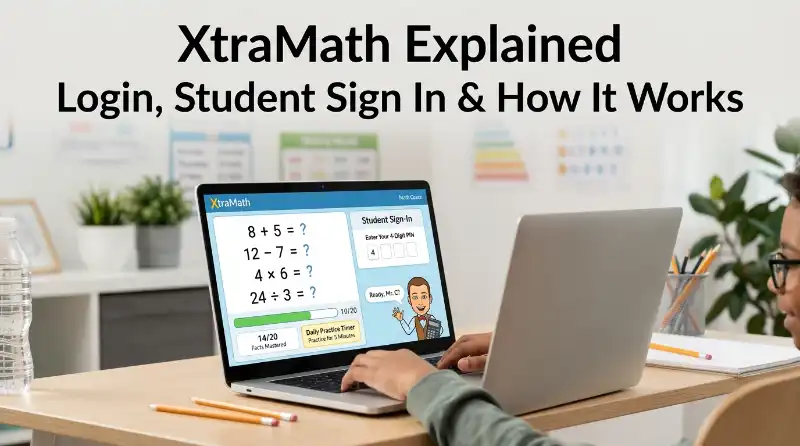
If you searched “XtraMath login,” “XtraMath student login,” or “XtraMath student sign in,” this is probably the section you needed first.
The normal student sign-in process uses three pieces of information:
- The student’s name as it appears in XtraMath
- The connected parent or teacher email address
- The student’s 4-digit PIN
XtraMath specifically says the email address is not the student’s email address. It is the email connected to the student’s account.
What You Need for Student Sign In
Suppose your child’s name is listed as “Emma” in XtraMath.
You would need to enter:
Name: Emma
Email: The parent or teacher email connected to the account
PIN: The student’s 4-digit XtraMath PIN
The name needs to match the way it appears in the account. If the account contains a last initial, nickname, or another variation, entering a different version can cause a login error.
Can Students Use Google, Clever, or ClassLink?
Yes, depending on how the school or account is set up.
XtraMath currently supports student sign-in through:
- Clever
- ClassLink
The exact option available depends on the student’s setup.
For Google sign-in, XtraMath says the first sign-in may require the student’s XtraMath credentials to connect the Google account. After that, the Google option can make future sign-ins easier.
Clever and ClassLink can also be used where the school’s setup supports them.
What If You Are Signing In at Home?
A student can use the regular Student Sign In page at home.
If the account is connected to a family account, the parent or guardian can use the family account to access the student’s report and can also start the student’s session from there.
On a private device, XtraMath also offers a Remember me option. That can make future student sign-ins quicker.
Do not use that option on a public or shared computer where another person could access the account.
Why Is XtraMath Student Login Not Working?
If your XtraMath student login keeps failing, don’t immediately assume the account is broken.
Most login problems come down to using the wrong information or the wrong sign-in page.
“Name Not Found”
Check the spelling first.
The student’s name has to match the name stored in XtraMath. A last initial, nickname, or different spelling can make the system fail to find the account.
“PIN Does Not Match”
The student may simply be using the wrong PIN.
A parent or teacher can check the student’s report and confirm the current 4-digit PIN. XtraMath also provides a way to recover student sign-in information through the linked family email.
“Email Address Not Found”
Check which email address you are entering.
A common mistake is entering the student’s email address. XtraMath says it does not collect or store student email addresses for this purpose. The sign-in process uses the parent or teacher email connected to the student’s account.
The Student Is on the Wrong Sign-In Page
This is another easy mistake.
Students should use the Student Sign In page. Parents and teachers use their own account sign-in.
If a student sees a password field and starts entering the 4-digit PIN as a password, they may be on the wrong page. XtraMath specifically lists this as a common source of confusion.
The Sign-In Page Does Not Remember the Student
If Remember me stops working, the issue may be related to the browser.
XtraMath uses browser LocalStorage to remember students. Private browsing, Incognito mode, or school settings that erase browser data can prevent the information from being saved.
If that happens, the XtraMath account itself may still be working normally. You may simply need to sign in again.
Who Is the XtraMath Guy, and Who Is Mr. C?
This is where many XtraMath searches become confusing.
If you searched “XtraMath guy,” “Mr C XtraMath,” “who is the XtraMath guy,” or “XtraMath guy now,” you are probably talking about the character students see during the program.
But there is an important history behind that character.
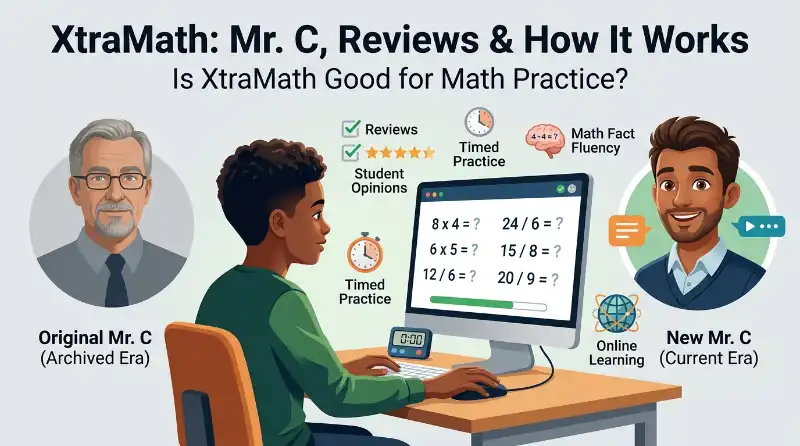
XtraMath originally used a live-action teacher character named Mr. C in its student experience. In 2023, XtraMath introduced a redesigned animated Mr. C as its math coach. The company says the live-action Mr. C had been the friendly face of XtraMath since 2012.
So when people online talk about the “XtraMath guy,” they may be referring to the original live-action Mr. C, the newer animated character, or simply the recognizable voice and personality associated with XtraMath.
Those are not all the same thing.
Who Is the Current Mr. C?
The current Mr. C is an animated digital math coach inside XtraMath.
XtraMath describes him as a coach who guides students through their daily practice and adapts the experience around their progress.
That is why a child using XtraMath today may see an animated Mr. C rather than the older live-action version.
The change was not a random character swap. XtraMath says it redesigned Mr. C to support a more modern student experience and to focus more on progress and encouragement.
Who Was the Original Live-Action Mr. C?
The original Mr. C was a real person who appeared in the earlier XtraMath videos.
XtraMath’s official announcement about the newer character specifically thanks Chris, the original Mr. C, for his contribution to the development of the program.
Another official XtraMath event page identifies Christopher Robert as XtraMath’s Math Coach.
This is useful because searches for “Christopher Robert XtraMath” can otherwise lead to confusion about whether he was the founder or the person behind the entire platform.
He was not the founder of XtraMath.
Who Created XtraMath?
The founder was David Jeschke, a former Microsoft programmer and math tutor.
XtraMath says David founded the program in 2007 after noticing that students he was tutoring were still relying heavily on their fingers for basic arithmetic. He developed the original program around the need for individualized math fact practice.
This gives us an important distinction:
David Jeschke = founder of XtraMath
Chris / original Mr. C = the live-action teacher associated with the earlier student experience
Current Mr. C = the animated math coach used in the newer experience
Keeping those identities separate is important because several searches about the “XtraMath guy” appear to mix them together.
When Was XtraMath Made?
XtraMath says the program was founded in 2007 by David Jeschke. The organization was formally established as a nonprofit in 2009.
So if you searched “when was XtraMath made?”, the simplest answer is:
XtraMath began in 2007, when David Jeschke developed the original program, and it was formally established as a nonprofit in 2009.
Did the XtraMath Guy Die?
This question needs careful handling because the phrase “XtraMath guy” is ambiguous.
David Jeschke, the founder of XtraMath, died in December 2024. XtraMath announced his passing on its official founder page.
But David Jeschke was not the same person as the original live-action Mr. C.
So you should not take the statement about the founder’s death and assume it means the original Mr. C died.
XtraMath’s own material identifies the original Mr. C as Chris and says the company reached an updated agreement with him when the new animated character was introduced.
That distinction answers one of the biggest points of confusion behind searches such as:
- is the XtraMath guy still alive
- did the XtraMath guy die
- what happened to the XtraMath guy
- what happened to Mr. C XtraMath
- XtraMath guy now
The safest answer is to identify which person or character the searcher means before making a claim about them.
Can You Use XtraMath on a Phone?
If you searched “XtraMath app,” there is another point that can cause confusion.
XtraMath changed its mobile approach. In a 2024 update, the company said the standalone mobile app would no longer be available and that the web experience could be used on phones instead.
That means you should be careful with third-party pages offering an old XtraMath APK or claiming to provide an official mobile app.
For normal use, the safer approach is to access XtraMath through its official web experience on your phone or tablet.
The web version was specifically updated to work across phones without requiring the old XtraMath app.
So if you searched “XtraMath app” because you cannot find the old app, that does not necessarily mean you are missing something. The platform moved toward a web-based mobile experience.
What Should You Understand About XtraMath Before Judging It?
At this point, the main picture should be much clearer.
XtraMath is not designed to teach every part of mathematics. Its main job is to help students practice basic math facts until recall becomes more automatic. Its student sessions are short, and the system uses performance data to target practice.
The login process is also simpler once you know which information belongs in each field: the student’s stored name, the connected parent or teacher email, and the 4-digit PIN, with Google, Clever, or ClassLink available in supported setups.
And the “XtraMath guy” is not one simple identity. The original live-action Mr. C, the newer animated Mr. C, and founder David Jeschke are separate parts of XtraMath’s history.
That clears up the basic confusion.
But it still leaves the biggest question many students, parents, and teachers have:
Why do some people really dislike XtraMath, and is the program actually good for learning?
That is where the next part matters.
Why Do Some Students Hate XtraMath?
If you search for xtramath reviews, why is XtraMath hated, or why is XtraMath so bad, you will find very different opinions.
The main complaint is usually not that the math questions are wrong. It is the timed practice.
XtraMath is built around quick answers. A student may know that 7 × 8 = 56 but still feel pressured when the clock is running. That can make a short practice session feel harder than a normal worksheet.
The timer also cannot simply be turned off. XtraMath does provide ways to hide the timer and offers programs with longer response times, but those settings may need to be changed by a teacher or parent.
So, is XtraMath “bad”? Not automatically.
It depends on the student. A child who enjoys short challenges may like it. Another child may learn better without time pressure.
Why do people make XtraMath memes?
The famous XtraMath memes and XtraMath guy memes usually joke about the same experience: the timer, repeated math facts, and the nervous-looking Mr. C character.
These memes are better understood as internet humor than as evidence that the program does not work. A student can dislike the experience while still getting useful practice from it.
Is XtraMath Actually Good for Learning Math?
XtraMath has a specific job: helping students become faster and more accurate with basic math facts.
It is not designed to teach every part of mathematics. The organization describes it as supplemental practice for students in grades K–8, with a focus on addition, subtraction, multiplication, and division.
That distinction matters when reading XtraMath reviews.
If someone expects XtraMath to teach fractions, geometry, algebra, word problems, and every other math skill from beginning to end, the program may seem limited.
If the goal is to improve basic fact fluency, its design makes much more sense.
What does XtraMath do differently?
The program uses individualized practice rather than simply giving every student the same list of questions.
Its teacher materials describe placement and progress quizzes, individualized facts, spaced repetition, and short daily sessions. A typical session is designed to take about 10 minutes or less.
That means the better question is not:
“Is XtraMath good or bad?”
A better question is:
“Does this type of short, repeated math-fact practice help this student?”
That answer can be different from one child to another.
How Can You Make XtraMath Less Stressful?
If your child understands the math but hates the experience, the first step is to find out why.
Is the problem the timer? The number of questions? A difficult operation? Trouble remembering the PIN? Or simply boredom?
For timer-related problems, XtraMath allows the timer to be hidden, and it has programs with longer response times.
Parents and teachers should also avoid treating every slow answer as a failure. The purpose of practice is to build fluency over time.
A useful approach is:
- Find the facts causing the most trouble.
- Practice those facts without unnecessary pressure.
- Let the student understand the method.
- Return to short XtraMath sessions.
- Watch progress instead of focusing only on the daily score.
This is especially useful for students who already understand multiplication or division but need more repetition.
Can You Cheat on XtraMath?
Searches such as xtramath cheat and how to cheat on XtraMath show that some students look for shortcuts.
There is not much value in doing that.
XtraMath is supposed to measure and strengthen a student’s own recall of math facts. Looking up answers or having someone else answer defeats that purpose.
If a student is struggling, the better solution is to change the learning approach rather than search for a way around the practice.
For example, a student having trouble with multiplication can first work on related fact families, use visual examples, or practice a small group of facts before returning to timed work.
The goal should be better math recall, not simply finishing the session.
Is XtraMath Free?
For students and schools using the core program, XtraMath has historically offered its basic math-fact practice at no cost. The organization is a nonprofit and describes XtraMath as supplemental math practice.
However, XtraMath has also introduced paid options and newer features over time, so it is better not to assume that every feature you see on the site is part of the free experience.
If you are checking the price for a specific feature, use the current pricing information shown by XtraMath rather than relying on an old review.
That matters because the service continues to change. Its official updates include newer game, AI, and teacher-support features.
Can You Use XtraMath on a Phone?
Yes. You do not need to depend on an old standalone XtraMath mobile app.
XtraMath announced that its standalone mobile app would no longer be available and that students could use the web experience on phones instead.
So if you search for XtraMath app, be careful with older articles or old app references.
The practical option is to open the official XtraMath website through a mobile browser.
If a school has given you a particular login method, follow that school setup rather than downloading an unofficial app that claims to be XtraMath.
Is XtraMath Safe for Students?
XtraMath is designed specifically as an educational service for children and schools.
The organization says it is a nonprofit focused on supplemental math practice, and it provides accessibility features such as captions and an option to disable animations. Its accessibility work references WCAG 2.1 standards.
Still, parents should use normal online-safety habits.
Check that your child is using the real XtraMath website, especially when searching for xtramath.org or xtramath org. Avoid entering student information into websites that copy the name or appearance of XtraMath.
For school-managed accounts, the teacher or school should also be the first place to ask about login information and account settings.
XtraMath vs Other Math Learning Tools: Which One Should You Choose?
XtraMath is best viewed as a math-fact fluency tool, not a complete replacement for every math learning platform.
Here is the simple distinction:
| Tool type | Best use |
|---|---|
| XtraMath | Building speed and accuracy with basic math facts |
| Khan Academy | Learning broader math concepts and lessons |
| IXL | Skill-by-skill math practice across many areas |
| Reflex Math | Math-fact fluency through a more game-based approach |
If your child mainly needs help remembering multiplication facts, XtraMath can make sense.
If the child does not understand why a math problem works, more explanation-based learning may be needed first.
That is why using more than one resource can sometimes work better than asking one website to do everything.
What Happened to the XtraMath Guy?
This is one of the biggest questions behind searches for xtramath guy now, what happened to the XtraMath guy, and did the XtraMath guy die.
The confusion comes from the program’s change from a live-action Mr. C to an animated version.
XtraMath introduced a new animated Mr. C in October 2023. The organization said that the live-action teacher had been the face of XtraMath since 2012 and gave special acknowledgement to Chris, the original Mr. C.
So the important point is:
The change to an animated Mr. C does not mean the original Mr. C died.
It was a change in the character and presentation used by XtraMath.
There is another person who sometimes gets mixed into these searches: David Jeschke, the founder of XtraMath. XtraMath’s official founder page says Jeschke created the original program in 2007 and died in December 2024.
That is a separate fact from what happened to the original live-action Mr. C.
Who Is the XtraMath Guy Now?
Today, the recognizable Mr. C is an animated character used as a digital math coach within XtraMath.
XtraMath’s newer material also describes Mr. C as part of its digital and teacher-support experience.
That explains why older XtraMath guy memes may show a real person while newer XtraMath material shows an animated character.
If you are comparing screenshots or videos from different years, you may be looking at two different versions of the program’s Mr. C presentation.
What Should Parents and Students Know Before Using XtraMath?
The easiest way to judge XtraMath is to match it to the actual problem.
If the problem is basic fact recall:
XtraMath may be useful because its main purpose is repeated fluency practice.
If the problem is math anxiety:
Timed practice may need to be adjusted or used more carefully.
If the problem is understanding a concept:
XtraMath alone may not provide enough teaching.
If the problem is login:
Check the student’s exact name, connected teacher or family email, and four-digit PIN before assuming the account is broken.
If the problem is the “XtraMath guy”:
Remember that the original live-action Mr. C and the newer animated Mr. C are part of different stages of the program.
If the problem is finding an app:
Use the current web experience rather than trusting old pages that recommend a discontinued standalone app.
Final Verdict: Is XtraMath Worth Using?
XtraMath makes more sense when you understand what it is actually trying to do.
It is not a complete math curriculum. It is a focused tool for practicing basic math facts and building fluency through short, repeated sessions.
The biggest strength is also the thing some students dislike most: the fast practice format.
For one student, that can make multiplication facts easier to remember. For another, the timer can create frustration.
So there is no honest answer that says XtraMath is always good or XtraMath is always bad.
Use it for the problem it was designed to solve. If a student needs basic fact fluency, it can be useful. If the student needs deeper math explanations, pair it with another learning resource.
And if you came here because you were searching for the XtraMath guy, the answer is simpler than many memes suggest: the program changed from a live-action Mr. C to an animated Mr. C, while founder David Jeschke was a separate person who died in 2024.
XtraMath FAQ
What is XtraMath?
XtraMath is a nonprofit supplemental math program focused on helping students practice basic addition, subtraction, multiplication, and division facts.
Is XtraMath free?
The core XtraMath experience has been offered as free supplemental math practice, although the service also has paid options and newer features. Check the current XtraMath pricing information for the feature you need.
Is XtraMath good for kids?
It can be useful for children who need repeated practice with basic math facts. It is not intended to replace a full math curriculum.
Why does XtraMath have a timer?
The timed format is part of its approach to building math-fact fluency. Students who struggle with time pressure may benefit from the available longer-response or timer-display options.
Can students cheat on XtraMath?
They can look for shortcuts, but doing so defeats the purpose of practicing their own math-fact recall. The better approach is to get help with the difficult facts and build accuracy first.
Is the XtraMath guy still alive?
The switch from the original live-action Mr. C to the animated Mr. C does not establish that the original Mr. C died. XtraMath announced the animated Mr. C as a new version of the character in 2023.
Who created XtraMath?
David Jeschke founded XtraMath in 2007. The organization later became a nonprofit.
When was XtraMath made?
The original XtraMath program was created in 2007 by David Jeschke while he was volunteering as a math tutor.
Can I use XtraMath on my phone?
Yes. XtraMath’s web experience can be used on mobile devices. The organization previously announced that its standalone mobile app would no longer be available.
Why do people hate XtraMath?
Most criticism centers on the timed practice experience rather than the basic idea of practicing math facts. Students who dislike timed work may find the program stressful or frustrating.
What happened to Mr. C on XtraMath?
XtraMath introduced an animated Mr. C in 2023 after the live-action Mr. C had been the face of the program for years.