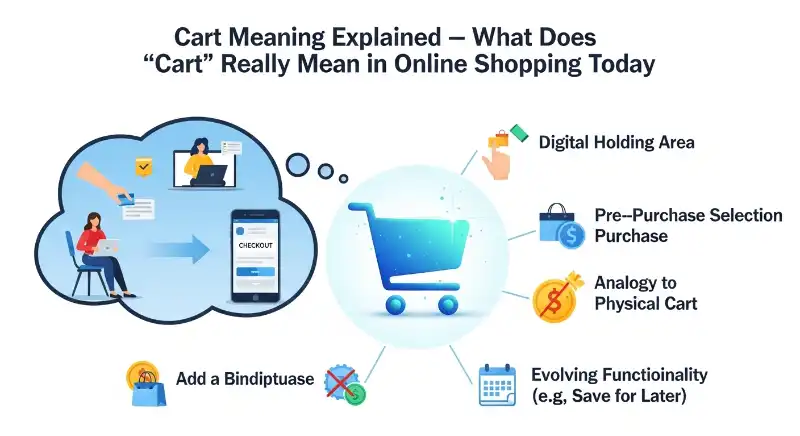
Cart meaning in online shopping is the virtual place where you keep the products you want to buy before moving to checkout. When a website says “Add to Cart,” it usually means you are selecting an item for possible purchase—not that you have already bought it.
If you have ever wondered whether an item in your cart is actually purchased, what happens after you click Add to Cart, or why websites separate the cart from checkout, this guide explains it step by step.
The word cart can also refer to a physical shopping cart in a store, but online its meaning is slightly different. Let’s start with the simplest explanation and then follow what happens from adding an item to preparing for payment.
What Does “Cart” Mean in Online Shopping?
In online shopping, a cart is a virtual list or temporary storage area that holds products you have selected while browsing an online store.
Think of it like the shopping trolley you push around a supermarket. You put products inside as you walk through the store, compare your choices, and decide what you actually want to take to the checkout.
An online cart works in a similar way, except it exists on a website or shopping app.
What Does “In My Cart” Mean?
When a website says an item is “in your cart,” it generally means you have selected that product and placed it in your online shopping cart.
For example:
“The shoes are in my cart.”
This usually means:
You selected the shoes, but you have not necessarily purchased them yet.
The item may remain there while you continue shopping, change the quantity, remove it, or eventually proceed to checkout.
What Is the Difference Between a Physical Cart and an Online Cart?
The basic idea is the same: both help you collect things you may want to purchase.
| Physical Shopping Cart | Online Shopping Cart |
|---|---|
| Used inside a store | Used on a website or app |
| Holds physical products | Holds selected products digitally |
| You push or carry it | You access it through your account or session |
| You take products to a checkout counter | You take selected products to online checkout |
So, when an online store uses the word cart, it is borrowing the familiar idea of a shopping cart and turning it into a digital shopping tool.
Does “Cart” Always Mean You Are Buying Something?
No.
A cart usually represents selected items, not a completed purchase.
You can add something to your cart because you want to compare it with another product, check shipping costs, review the total price, or simply keep it there while you continue browsing.
That distinction becomes especially important when you see the phrase “Add to Cart.”
What Does “Add to Cart” Mean—and Did You Actually Buy It?
Add to Cart means you have selected a product and placed it in your shopping cart so you can review it or potentially purchase it later.
It does not normally mean the order is complete.
For example, imagine you are shopping for headphones. You find a pair you like and tap Add to Cart.
The website may then show:
“Headphones added to your cart.”
At this point, you have selected the headphones, but you generally still need to go through checkout and complete the required payment or order-confirmation steps.
What Happens When You Click “Add to Cart”?
Although websites differ, the usual process looks like this:
Product page → Add to Cart → Cart → Checkout → Payment/Order confirmation
After you click the button, the website may:
- Add the product to your cart.
- Record the selected quantity or variation.
- Update the cart total.
- Show the item in your cart.
- Let you continue shopping or proceed to checkout.
For example, if you add one T-shirt priced at $25, your cart might show:
1 × T-shirt — $25
You can then decide whether to buy it, remove it, change the quantity, or keep shopping.
Does Add to Cart Mean You Bought the Item?
No. Adding an item to a cart usually does not mean you have bought it.
A completed purchase normally requires additional steps, such as reviewing the order, providing delivery information when needed, selecting a payment method, and confirming the order.
So if someone tells you:
“I added the laptop to my cart.”
You should not automatically interpret that as:
“I bought the laptop.”
It means they selected the laptop for possible purchase.
Add to Cart vs Buy Now: What Is the Difference?
The two buttons can look similar, but they usually serve different purposes.
| Add to Cart | Buy Now |
|---|---|
| Adds the item to the cart | Usually takes you directly toward purchasing that item |
| Lets you continue shopping | Designed for a faster purchase |
| Useful when buying multiple products | Useful when you already know what you want |
| Does not normally complete the order | Still requires the site’s purchase process |
For example, you might use Add to Cart when buying a shirt, shoes, and a phone case together.
You might choose Buy Now when you have already decided on one product and want to move toward checkout quickly.
Does an “Added to Cart” Message Mean the Order Is Confirmed?
No.
An “Added to Cart” message generally confirms that the product was successfully placed in the cart. It is different from an order confirmation.
An order confirmation usually appears after the store has accepted the completed order through its checkout process.
A simple way to remember it is:
Added to cart = selected
Order confirmed = purchased/order submitted
How Does a Shopping Cart Work Before Checkout?
A shopping cart acts as a bridge between browsing products and completing an order.
Instead of forcing you to purchase every product the moment you select it, an online store lets you collect your choices first.
What Happens After You Add an Item to the Cart?
After an item is added, you can normally open the cart and review information such as:
- Product name
- Quantity
- Selected size, color, or variation
- Product price
- Subtotal
- Available discounts
- Estimated shipping charges
- Estimated order total
The exact information depends on the store.
For example, suppose you add two products:
Running shoes — $60
Sports socks — $10
Your cart may show a subtotal of $70 before shipping, taxes, or other applicable charges.
This gives you a chance to review your choices before committing to the purchase.
Can You Change an Item After Adding It to the Cart?
Usually, yes.
Many online stores allow you to:
- Increase or decrease quantity
- Remove a product
- Change an available variation
- Apply a coupon
- Review delivery options
- Continue shopping
- Move toward checkout
This is one reason the cart is useful. You do not have to make every purchasing decision immediately.
What Is the Difference Between a Cart and Checkout?
The easiest way to understand the difference is:
The cart is where you review what you want to buy. Checkout is where you complete the purchase process.
Think of a physical store.
You place products in your trolley while shopping. When you reach the checkout counter, you are ready to pay.
Online shopping follows a similar pattern:
Browse → Add to Cart → Review Cart → Checkout → Payment → Order Confirmation
The cart is therefore an important step before checkout, but it is not normally the same thing as checkout.
What Should You Check in Your Cart Before Paying?
Before moving to payment, review the details carefully.
Check:
- Product — Is it the item you actually wanted?
- Quantity — Did you accidentally add more than one?
- Variation — Is the size, color, model, or version correct?
- Price — Does the current price match what you expected?
- Discount — Has the coupon or promotion been applied correctly?
- Shipping — Is there an additional delivery charge?
- Total — What is the final amount you are being asked to pay?
This small review can prevent common shopping mistakes.
Why Can a Cart Be Different From a Completed Order?
One of the most important things to understand about an online cart is that it is not always a permanent reservation.
Adding an item to a cart does not necessarily guarantee that the store will hold that product for you indefinitely.
For example, imagine a popular product has only a few units available.
You add it to your cart but wait several hours before completing checkout. Depending on the store’s policies, the item could become unavailable before you finish your order.
The same principle can apply to prices, promotions, and shipping availability.
Does Adding to Cart Reserve the Product?
Not necessarily.
Some stores may reserve inventory under particular circumstances, but simply adding an item to a cart should not universally be treated as a guarantee that the product is reserved for you.
If the item is important or has limited stock, completing checkout is usually safer than assuming the cart has permanently secured it.
Why Is the Cart Useful If It Does Not Complete the Purchase?
Because online shoppers often need time to make decisions.
You may want to:
- Compare two products
- Add several items together
- Check the total cost
- Look for a discount
- Decide whether shipping is worth it
- Review product variations
- Continue browsing before paying
The cart gives you that space between “I am interested in this” and “I am ready to place the order.”
That is why the cart is more than just a digital container. It is a practical step in the online shopping journey.
Quick Example: How “Cart” Works in Real Life
Imagine you visit an online clothing store looking for a jacket.
You find one for $80 and click Add to Cart.
The website now shows:
Jacket — $80 — Quantity: 1
You continue browsing and add a pair of jeans for $40.
Your cart now contains:
- Jacket — $80
- Jeans — $40
Subtotal: $120
You then open the cart, check the sizes, review the prices, and click Checkout.
Only after completing the store’s required purchase steps would you normally receive an order confirmation.
So the journey is:
Interested → Add to Cart → Review → Checkout → Complete Order
That simple sequence explains most of what people mean when they use cart or add to cart in online shopping.
Why Did My Cart Item Disappear or Change?
If an item was in your cart earlier but is missing now, or its price looks different, it does not necessarily mean something went wrong with your account.
Online carts can depend on product availability, website sessions, account settings, promotions, and the store’s own policies.
Why Did an Item Disappear From My Cart?
Common reasons include:
- The product went out of stock.
- The seller removed or changed the listing.
- Your shopping session expired.
- The website or app did not save the cart permanently.
- You switched accounts or devices.
- The store changed how it handles saved carts.
- The item was removed manually.
Not every store keeps cart contents for the same amount of time.
For example, you might add a pair of shoes on Monday and return several days later. If the website does not permanently save your cart, those shoes may no longer appear.
Why Did the Price in My Cart Change?
A cart does not always lock the price at the moment you add an item.
A store may change a product’s price, end a promotion, remove a discount, or update shipping costs.
For example:
Yesterday: $45
Today: $50
If you added the product yesterday but did not complete the order, the store may apply the current price when you return.
The exact rule depends on the retailer.
Why Does My Cart Say an Item Is Out of Stock?
This can happen when inventory changes after you selected the product.
Imagine a store has five units available. Several shoppers add the same product to their carts. If other customers complete their purchases first, the remaining stock may become unavailable.
Your cart can therefore contain a product that is no longer available for purchase.
This is another reason “in cart” should not automatically be understood as “reserved.”
Why Does My Cart Look Different After Logging In?
Some websites treat guest shopping and account-based shopping differently.
For example, you might add an item while browsing without signing in. Later, you log into your account and see a different cart.
Possible reasons include:
- Guest and account carts are stored separately.
- The website merges carts differently.
- Your account already had saved items.
- The guest session expired.
- The store does not transfer guest-cart items to an account.
If this happens, checking both your previous session and account cart can help explain the difference.
Cart vs Wishlist vs Basket: What Is the Difference?
These three terms can look similar, but they usually represent different purposes.
The easiest way to remember them is:
Cart = considering a purchase now
Wishlist = saving something for later
Basket = another name for cart
However, individual websites can use these features differently.
Cart vs Wishlist: Which One Should You Use?
Use the cart when you are seriously considering purchasing an item as part of your current shopping session.
Use a wishlist when you want to remember an item without necessarily planning to buy it right away.
For example:
You see a $20 shirt and think:
“I might buy this today.”
You could put it in your cart.
But if you think:
“I like this, but maybe I’ll buy it next month.”
A wishlist may be more appropriate.
A wishlist is therefore more like a digital bookmark for products, while a cart is generally closer to the purchasing process.
Is a Wishlist the Same as a Cart?
No.
A wishlist is usually designed for saving or remembering products, while a cart is generally designed for preparing an order.
A wishlist may also remain useful for longer periods, whereas cart contents can be affected by inventory, sessions, pricing, or store policies.
The exact behavior depends on the shopping platform.
Is “Basket” the Same as “Cart”?
Usually, yes.
In eCommerce, shopping basket and shopping cart commonly refer to the same basic feature: the digital area where selected products are collected before checkout.
The difference is often regional or based on the website’s preferred wording.
For example:
- Shopping cart is especially common in American English.
- Shopping basket is common on some British English websites.
So if a website says “Add to Basket” instead of “Add to Cart,” you generally do not need to learn a different shopping process. The basic idea is usually the same.
What Does “Cart” Mean in Business and Marketing?
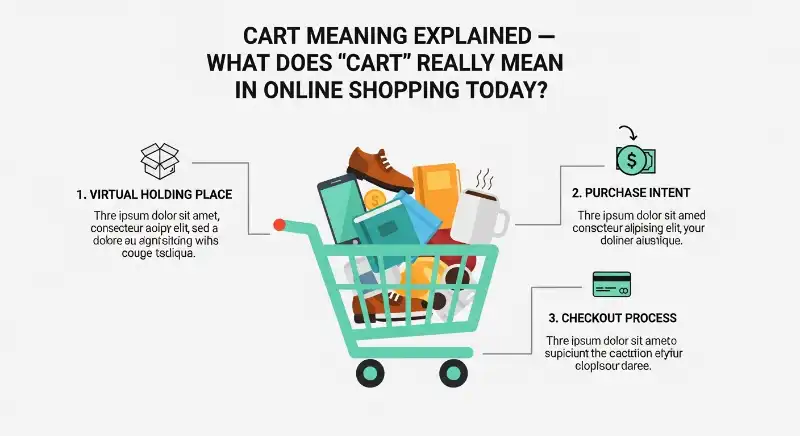
In eCommerce business language, cart refers to the digital part of an online store where customers collect products before completing an order.
For businesses, the cart is important because it sits close to the final purchasing stage.
A shopper who adds a product to a cart has generally shown more purchase interest than someone who simply views a product page. However, adding an item still does not guarantee that the shopper will buy it.
What Does “Cart Abandonment” Mean?
Cart abandonment happens when a shopper adds products to an online cart but leaves without completing the purchase.
For example:
Product viewed → Added to cart → Checkout not completed
That unfinished shopping activity is commonly described as an abandoned cart.
Businesses pay attention to this because it can show where shoppers are losing interest or encountering problems during the buying process.
Why Do People Abandon Their Carts?
There can be many reasons.
A shopper may:
- Discover unexpected shipping costs.
- Decide the total is too expensive.
- Want more time to compare products.
- Encounter a complicated checkout process.
- Have trouble with payment.
- Become distracted.
- Decide they no longer need the product.
- Find a better offer elsewhere.
- Simply use the cart as a temporary place to compare items.
So cart abandonment does not always mean the website failed. Sometimes the shopper simply was not ready to buy.
What Is an Abandoned Cart Email?
An abandoned cart email is a marketing message sent by some online stores to remind a shopper about products they left without completing a purchase.
For example, you might receive a message saying that you left something behind in your cart.
This normally happens when the store has enough information to associate the shopping activity with an email address or customer account and its marketing system is configured to send such reminders.
Not every store sends these emails, and simply adding an item does not guarantee that you will receive one.
What Does “Cart” Mean in Real Life?
Before the word cart became common in online shopping, it referred to a real physical vehicle or container used to carry and move things.
A physical cart is generally a wheeled structure that can be pushed, pulled, or sometimes powered to transport goods, objects, or people.
For example:
- A shopping cart carries groceries around a supermarket.
- A hand cart can be used to move boxes or other goods.
- A horse-drawn cart is pulled by an animal.
- A utility cart can be used to move equipment or supplies.
The exact type of cart depends on its purpose.
What Is a Shopping Cart in a Physical Store?
In a supermarket or retail store, a shopping cart is the wheeled basket that customers push around while collecting products.
For example, you enter a supermarket and put milk, bread, fruit, and other groceries into the cart. When you finish shopping, you take the cart to the checkout.
This is the physical idea that online shopping websites later adapted into the digital shopping cart.
Why Does an Online Store Call It a “Cart”?
The online term is based on this familiar shopping experience:
Physical store:
Choose products → put them in a cart → go to checkout.
Online store:
Choose products → add them to a digital cart → go to checkout.
The products are no longer physically sitting inside a wheeled trolley. Instead, the website stores information about your selected products in a digital shopping cart.
So, whether you see shopping cart in a supermarket or on an eCommerce website, the underlying idea is similar: collect your chosen items before completing your purchase.
Can “Cart” Mean Something Other Than Shopping?
Yes.
Outside shopping, cart can refer to different types of wheeled vehicles or carriers used for transportation.
For example:
“The workers loaded the boxes onto a cart.”
Here, cart has nothing to do with online shopping. It simply means a wheeled object used to move something.
This is why the sentence and context matter when determining the meaning of cart.
In modern everyday language, however, people commonly encounter the word in two contexts:
Physical cart: a wheeled carrier or vehicle used to move things.
Online cart: a digital place where selected shopping items are collected before checkout.
What Does “Cart” Mean in Hindi?
In Hindi, cart can have different meanings depending on the context.
For online shopping, the most useful meaning is:
Cart = शॉपिंग कार्ट / खरीदारी की टोकरी
In an eCommerce context, it refers to the place where you collect products before checkout.
For example:
“Add to Cart” = “कार्ट में जोड़ें”
If someone asks:
“Cart means kya hota hai?”
In online shopping, you can simply explain:
Cart वह जगह है जहाँ आप खरीदने के लिए चुने गए सामान को checkout से पहले रखते हैं।
The English word cart can also refer to a physical vehicle or trolley, so the correct Hindi translation depends on the sentence.
What Are the Most Common Misunderstandings About a Cart?
The word seems simple, but several misunderstandings can cause confusion when shopping online.
“In Cart” Means “Purchased”
Not usually.
An item being in your cart generally means it has been selected, not that the order has been completed.
“Add to Cart” Means the Product Is Reserved
Not necessarily.
Some stores may reserve stock under specific conditions, but adding an item to a cart should not universally be treated as a guaranteed reservation.
“Cart” and “Checkout” Mean the Same Thing
They are related but different.
The cart is generally where you review selected products. Checkout is the process of entering or confirming the information needed to complete the purchase.
“Cart” and “Wishlist” Are the Same
They serve different purposes.
A cart is generally connected to a potential current purchase, while a wishlist is primarily for saving products for later.
Every Website Keeps Cart Items Forever
No.
Cart storage policies vary. Items may disappear because of session expiration, stock changes, account differences, or other store-specific rules.
Why Is It Called a “Shopping Cart”?
The online term comes from the familiar physical shopping cart used in stores.
When eCommerce websites became common, designers needed an easy-to-understand way to represent the products a shopper had selected.
The physical shopping cart provided a natural analogy:
Physical store: Put products in a cart → take them to checkout.
Online store: Add products to a digital cart → take them to checkout.
That familiar comparison made the concept easy for shoppers to understand, even when the actual cart existed only as software.
New FAQs About Cart Meaning
Can I use an online cart without creating an account?
Often, yes. Many shopping websites allow guest users to add products to a cart. However, whether the cart remains available after you close the website or switch devices depends on the store.
Can another person see what I put in my cart?
Usually, your cart is not publicly visible. However, the exact privacy behavior depends on the website, your account, shared devices, and whether someone else has access to your account.
Why is my cart showing a different currency?
This can happen when a website detects a different country or region, when you change the site’s location settings, or when the store uses regional pricing. Check the site’s country, currency, or location selector if the displayed currency looks unexpected.
Can I have different cart contents on different devices?
Yes, this can happen. If you are not signed in, each device or browser may have its own shopping session. When you are signed in, some stores synchronize cart contents across devices, but this is not guaranteed on every website.
Why did my cart change after I switched countries?
International shopping can affect product availability, currency, shipping options, taxes, and regional inventory. A product available in one country may not be available for delivery to another.
Final Takeaway: What Does “Cart” Really Mean?
In online shopping, a cart is the digital place where you collect products before moving through checkout.
The most important distinction is that adding something to your cart does not normally mean you have purchased it. It simply means you selected the item for possible purchase.
Remember these four ideas:
- Cart = selected products before checkout
- Add to Cart = put a product into that digital shopping area
- Checkout = process of completing the purchase
- Wishlist = save products you may want later
Once you understand that sequence, phrases such as “in my cart,” “added to cart,” “shopping cart,” “cart abandonment,” and “add to basket” become much easier to understand.
📚 Related Articles
Spotify Explained: Why Millions Use Spotify Every Day in 2026