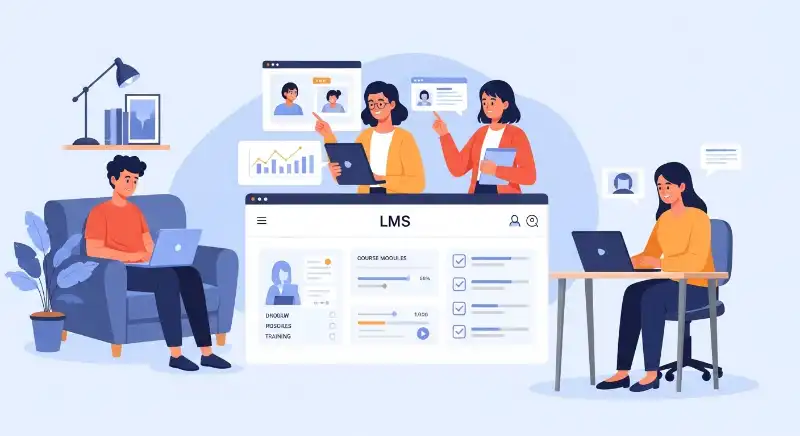
LMS meaning refers to a Learning Management System—a digital platform designed to organize, deliver, and track learning in one place. In simple terms, an LMS is where courses live online: lessons, videos, quizzes, assignments, and progress reports all come together so learning doesn’t feel scattered or confusing.
But here’s the interesting part: LMS isn’t just another piece of software. It’s quietly reshaping how students study, how teachers teach, and how companies train people. That’s why you suddenly see “LMS login” everywhere—and why many people still feel unsure about what it actually does.
LMS meaning in simple English (Language clarity)
In simple English, LMS means a system that helps people learn online in an organized way.
Common synonyms (context-based):
- Online learning platform
- Digital training system
- E-learning management system
Near opposites (conceptual antonyms):
- Unstructured learning
- Offline-only classroom learning
- Manual training process
Example sentence:
“The company uses an LMS to train new employees remotely.”
Why does LMS suddenly appear everywhere in education and work?
If you’ve noticed LMS popping up in schools, universities, offices, and even job portals, you’re not imagining things. Over the last few years—and especially by 2026—learning has moved from places to platforms. Classrooms are no longer limited to four walls, and training no longer happens only in meeting rooms.
Remote work, online degrees, skill-based hiring, and lifelong learning have all pushed organizations toward systems that can handle learning at scale. An LMS became the obvious solution because it centralizes everything—content, people, and progress—without needing everyone in the same location.
What does LMS stand for and what is its basic meaning?
LMS stands for Learning Management System. At its core, it’s a system that helps manage learning activities digitally. Instead of handing out papers, sending emails, or tracking progress manually, everything happens inside one platform.
Example:
A student visits their school website and sees “LMS Login.” That link leads them to their online classroom where lessons, homework, and grades are stored.
What does LMS mean in simple words for beginners?
In the simplest words, an LMS is like a digital school or training center. You log in, see what you need to learn, complete tasks, and track how far you’ve come—all online.
Example:
Explaining LMS to a beginner often sounds like: “It’s the app or website where your course lives.”
The real meaning of LMS most beginners misunderstand
Many beginners assume an LMS is just a place to upload videos or download PDFs. This misunderstanding happens because the word “system” sounds technical and distant.
In reality, an LMS is designed to manage the entire learning journey—not just content. It connects lessons, assessments, progress tracking, and feedback into one continuous experience. The goal isn’t technology; it’s clarity and structure in learning.
Once people understand this, LMS stops feeling complicated and starts feeling useful.
Is LMS just software or a complete learning system?
An LMS is software, yes—but it functions as a complete learning system. It combines content delivery, communication, assessment, and progress tracking into one ecosystem.
Example:
Think of LMS as a digital classroom:
- Lessons = whiteboard
- Quizzes = tests
- Dashboard = teacher’s gradebook
Why is LMS called a “management system”?
The word “management” is the key difference. An LMS doesn’t simply display learning material—it actively manages the learning process.
It organizes who learns what, tracks progress automatically, and shows results without manual effort. This is what separates an LMS from simple file-sharing tools or websites.
In short, LMS manages learning so humans don’t have to manage spreadsheets.
Example:
A teacher can see which students completed an assignment, who struggled, and who needs help—without manual checking.
What’s happening behind the scenes when you use an LMS?
When you click “Start Course” inside an LMS, a lot happens quietly in the background. The system records your activity, tracks time spent, saves progress, and updates reports—all without interrupting your learning flow.
This behind-the-scenes automation is why LMS feels smooth when done right.
How does a learning management system work step by step?
A basic LMS flow looks like this:
- User logs in
- LMS shows assigned courses
- Learner completes lessons and quizzes
- System tracks progress and scores
- Reports update automatically
Example:
An employee completes a safety training module, and HR instantly sees it marked as “Completed.”
What types of content can be managed inside an LMS?
Modern LMS platforms support:
- Video lessons
- PDFs and documents
- Quizzes and exams
- Assignments and projects
Example:
An instructor uploads a video lesson, adds a short quiz, and the LMS connects both into one learning path.
Why schools rely on LMS more than traditional classrooms
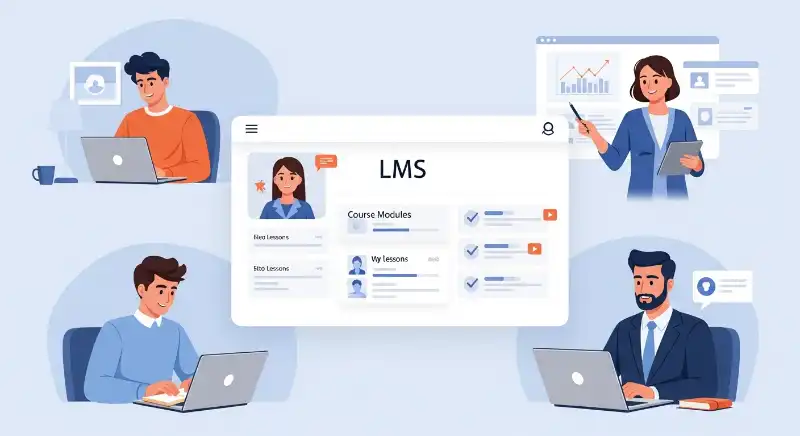
Schools didn’t adopt LMS just for convenience—they adopted it for access, organization, and continuity. LMS ensures learning continues even when students aren’t physically present, which became critical in recent years.
By 2026, LMS has become a backbone of modern education rather than a backup option.
What does LMS mean in education and schools?
In education, LMS is the central learning hub for students, teachers, and administrators. It handles assignments, grades, announcements, and communication in one place.
Example:
A school uses LMS for homework submissions instead of paper notebooks.
How do teachers and students use LMS daily?
Teachers use LMS to:
- Upload lessons
- Assign homework
- Check grades
Students use LMS to:
- Watch lessons
- Submit assignments
- Track progress
Example:
A student checks their grades online before dinner—no waiting for report cards.
LMS in corporate training—what companies aren’t telling you
In companies, LMS isn’t just about learning—it’s about performance, compliance, and growth. Organizations use LMS to make sure employees are trained, certified, and ready for change.
What’s rarely said out loud is that LMS also saves companies time and money by automating training at scale.
What does LMS mean in corporate or employee training?
In the corporate world, LMS is a platform for onboarding, skill development, and compliance training. It ensures every employee gets consistent, trackable training.
Example:
A new hire completes onboarding courses in their first week through the company LMS.
Why do companies choose LMS for staff development?
Companies prefer LMS because it offers:
- Scalable training for large teams
- Clear tracking and reporting
- Lower long-term training costs
Example:
HR checks a dashboard and instantly sees who completed mandatory training—and who didn’t.
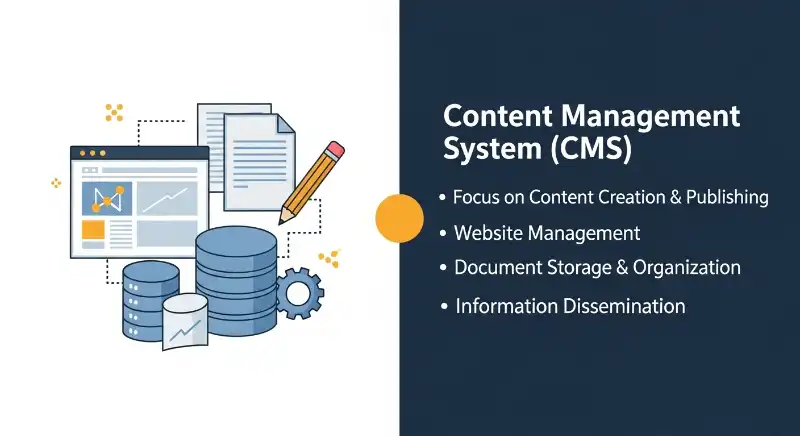
LMS vs CMS: Why People Confuse Them (And Why They’re Not the Same)
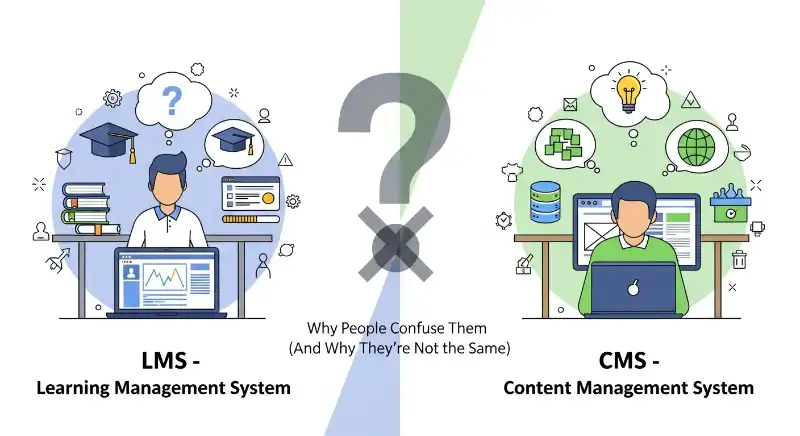
Many people confuse LMS with CMS (Content Management System), but they serve different purposes.
But in real life, LMS and CMS solve very different problems.
What is an LMS used for?
An LMS (Learning Management System) is built around people and progress.
Its main focus is:
- Who is learning
- What they are learning
- How far they’ve progressed
- Whether learning goals are completed
An LMS doesn’t just show content—it tracks behavior and outcomes.
Example:
A company checks its LMS to see which employees completed mandatory training.
What is a CMS used for?
A CMS (Content Management System) is built around publishing and content control.
Its main focus is:
- Creating content
- Editing pages or posts
- Publishing information to a website
- Managing layouts and media
A CMS doesn’t care who reads what—it cares that content exists and is published.
Example:
A blog uses a CMS to publish articles and update web pages.
The simplest way to understand the difference
Here’s the easiest mental shortcut:
- CMS = Content first
- LMS = Learner first
If the goal is to teach, train, or track learning, you need an LMS.
If the goal is to publish information, you need a CMS.
Can LMS and CMS work together?
Yes—and this is where modern systems shine.
Many organizations use:
- A CMS for their public website or blog
- An LMS for private learning, training, or courses
Example:
A university website runs on a CMS, while student courses live inside an LMS.
They don’t compete—they complement each other.
Why this difference matters in real life
Confusing LMS with CMS leads to:
- Choosing the wrong platform
- Frustrated learners
- Broken expectations
Once you understand the difference, the term LMS meaning becomes clearer—and so does its purpose.
The hidden features of LMS that actually matter
Most people judge an LMS by how it looks—the dashboard, colors, or menus. But the real value of an LMS lives under the surface. These hidden features are what quietly improve learning outcomes without users even realizing it.
Instead of flashy tools, effective LMS platforms focus on consistency, feedback, and insight. That’s what turns learning from random content into a guided journey.
What are the most important features of an LMS?
The features that truly matter are practical, not fancy:
- Course management: Organizing lessons in the right order
- Assessments: Quizzes and tests that check understanding
- Reports: Clear data on progress and performance
- User roles: Different views for learners, teachers, and admins
Example:
A manager downloads a report to see which team members completed a course—and who may need support.
How does LMS track progress and performance?
LMS tracks learning the way fitness apps track steps. It records:
- Completion status
- Scores and attempts
- Time spent on lessons
Example:
A student sees a progress bar slowly fill up. That small visual cue motivates them to keep going—just like seeing steps on a smartwatch.
Different types of LMS meaning people confuse all the time
One common mistake is assuming all LMS platforms are the same. In reality, different LMS types exist because learning goals differ. A school LMS and a corporate LMS may look similar—but they’re built for very different needs.
Understanding these types helps people choose the right system instead of struggling with the wrong one.
What are the main types of learning management systems?
The most common LMS types include:
- Academic LMS: Designed for schools and universities
- Corporate LMS: Built for employee training
- Cloud-based LMS: Accessible anywhere online
- Open-source LMS: Customizable but requires technical setup
Example:
A university chooses a cloud-based LMS so students can access lessons from home.
Which LMS type is best for schools vs businesses?
Schools need LMS platforms that focus on:
- Grades
- Assignments
- Teacher-student interaction
Businesses need LMS platforms focused on:
- Compliance tracking
- Skill development
- Reporting
Example:
A school LMS feels like a digital classroom, while a corporate LMS feels like a training control center.
Why LMS meaning changes how people learn online
LMS doesn’t just deliver content—it reshapes learning behavior. When lessons are structured, tracked, and accessible anytime, learners become more independent and consistent.
This shift is subtle but powerful. Learning moves from forced schedules to flexible routines.
What are the main benefits of using an LMS?
Key benefits include:
- Learning anytime, anywhere
- Centralized resources
- Self-paced progress
Example:
A learner studies late at night after work—something impossible in a traditional classroom.
Are there any disadvantages or limitations of LMS?
LMS isn’t perfect. Common limitations include:
- Dependence on internet access
- Initial learning curve
- Reduced face-to-face interaction
Example:
A user with slow internet struggles to stream video lessons smoothly.
LMS vs traditional learning—the real difference explained
The debate between LMS and traditional learning isn’t about better vs worse. It’s about different experiences. Each approach has strengths depending on the learner and context.
Understanding this difference prevents unrealistic expectations.
How is LMS different from traditional classroom learning?
Traditional learning:
- Fixed schedules
- Physical presence
- Immediate face-to-face interaction
LMS-based learning:
- Flexible timing
- Digital access
- Self-directed pace
Example:
An online class lets learners pause and replay lessons—something impossible in live classrooms.
Is LMS more effective than offline learning?
Effectiveness depends on:
- Learner motivation
- Course design
- Support system
Example:
Blended learning—using both classroom and LMS—often produces the best results.
Is using an LMS meaning actually worth it in 2026?
By 2026, LMS has evolved far beyond basic course hosting. Modern platforms integrate AI recommendations, microlearning, and analytics that make learning smarter and more personal.
The question is no longer “Should we use LMS?” but “How well are we using it?”
What are popular LMS examples used today?
Popular LMS platforms are used by:
- Universities for online degrees
- Companies for global training
- Individuals for skill-building
Example:
A company uses an LMS integrated with video calls and AI-powered assessments.
Is LMS still relevant with modern learning trends?
Yes—because LMS adapts. It now supports:
- Remote work
- Microlearning
- AI-driven personalization
Example:
An LMS recommends short lessons based on a learner’s past performance, saving time and boosting results.
FAQs: Learning Management System (LMS)
What does LMS stand for in simple words?
LMS stands for Learning Management System. In simple terms, it is a digital platform where learning content is stored, delivered, and tracked. It helps students or employees learn online in an organized way.
Is an LMS only used by schools?
No. While schools and universities use LMS heavily, companies, hospitals, and training institutes also rely on LMS for employee training, onboarding, and skill development.
Do you need technical skills to use an LMS?
Most modern LMS platforms are designed for beginners. If you can use email or social media, you can usually use an LMS without difficulty. Admin-level setup may require basic technical knowledge.
Can an LMS replace teachers or trainers?
No. An LMS does not replace teachers—it supports them. Think of it as a digital assistant that handles organization, tracking, and delivery, while humans handle guidance and understanding.
Is LMS useful for self-learning?
Yes. LMS is especially powerful for self-learning because it allows:
- Self-paced study
- Progress tracking
- Easy access to resources
That’s why many professionals use LMS platforms to upskill in 2026.
Conclusion: Understanding LMS Without the Confusion
The meaning of LMS becomes clear when you stop thinking of it as software and start seeing it as a learning environment. It brings structure to education, clarity to training, and flexibility to modern life.
In a world where learning never stops—and rarely happens in one place—LMS acts as the quiet backbone that keeps everything connected. That’s why it shows up everywhere today, from schools to offices to personal skill-building.
In 2026, LMS isn’t just relevant. It’s essential.
The real question is no longer what LMS means—but how effectively it’s being used.

Mush explores trending words, viral slang, and social media phrases, explaining them in simple English with fun examples for everyone.