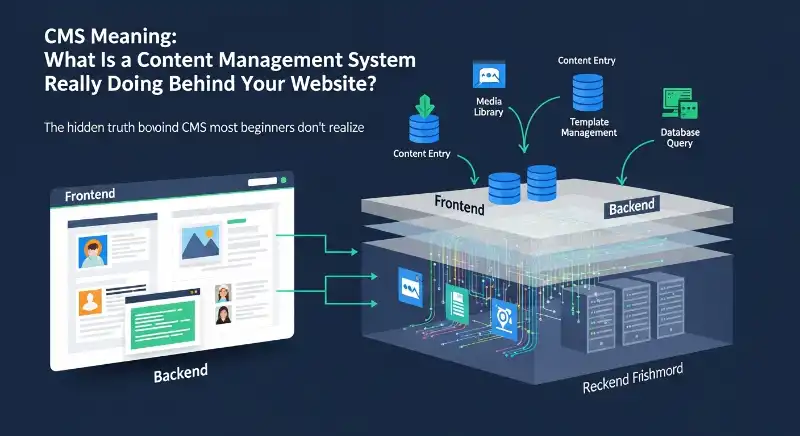
CMS meaning often sounds technical, but at its core, a CMS is simply a system that helps people create, manage, and update digital content—mostly websites—without needing to be a programmer. If you’ve ever edited a blog post, changed website text, or uploaded an image through a dashboard, chances are you’ve already used a CMS.
What makes CMS confusing is that it quietly runs behind millions of websites while staying mostly invisible. People use it every day, yet rarely stop to ask what it actually does, how it works, or why it became such a big deal in modern web life.
Everyone uses CMS, but why does its meaning confuse so many people?
CMS is one of those tech terms people hear constantly but hesitate to explain out loud. It appears in job descriptions, website footers, tutorials, and dashboards—yet beginners often feel they’re “supposed” to understand it already.
The confusion usually comes from how casually the term is used. CMS is treated like common knowledge, even though no one pauses to explain it in plain language.
What does CMS actually stand for?
CMS stands for Content Management System.
In simple terms, it means a system designed to manage content—text, images, videos, pages—without touching complex code.
Think of it like this: instead of building a house brick by brick (coding), CMS gives you ready-made rooms where you just arrange the furniture (content).
Example:
A student sees “Login to CMS” on their college website. That login opens a panel where teachers upload lessons and students read updates—no coding involved.
What does CMS mean in simple words?
In everyday language, a CMS is like Google Docs for websites.
You type, edit, delete, and publish content using buttons—while the system handles all the technical work quietly in the background.
Example:
Editing a website page in a CMS feels similar to editing a Word document: write text → add image → click publish.
The hidden truth behind CMS most beginners don’t realize
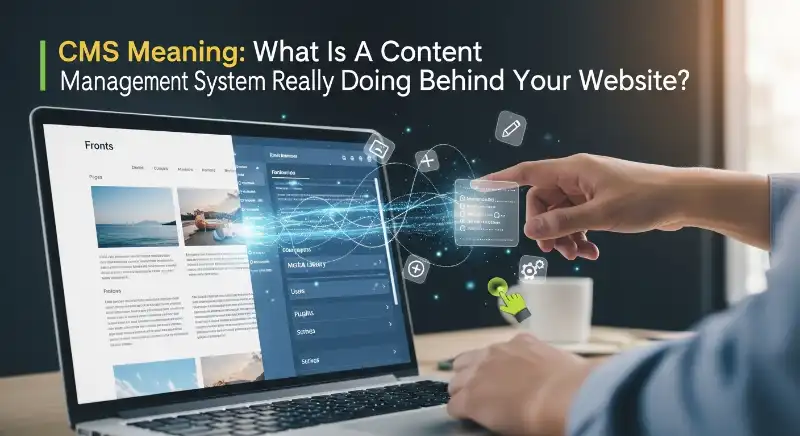
Many beginners assume CMS is something “advanced” or “developer-only.” The truth is the opposite. CMS was created because non-technical people needed control over their own websites.
It’s not meant to replace developers—it’s meant to free everyday users from depending on them for small changes.
What is a CMS in web development?
In web development, a CMS acts as the bridge between humans and code. Developers set it up, but writers, editors, marketers, and business owners actually use it daily.
It separates:
- Content (what users see)
- Structure & code (how the site works)
Example:
A blogger logs into a dashboard, writes an article, adds images, and clicks publish—while the CMS handles formatting, URLs, and layout.
Is CMS a software, tool, or platform?
Technically, a CMS is software.
Practically, it behaves like a platform.
For users, it feels like a tool.
That’s why people describe it differently. WordPress, for example, is software—but it becomes a platform once plugins, themes, and users are added.
Example:
Calling WordPress “just software” ignores the thousands of sites, tools, and workflows built around it.
Why CMS Meaning suddenly feels essential for modern websites
Modern websites are no longer static pages updated once a year. They’re living systems—blogs, stores, portfolios, news sites—constantly changing.
CMS became essential because manual updates simply couldn’t keep up.
Why is CMS used for websites?
People use CMS because it makes websites:
- Faster to update
- Easier to manage
- Accessible to teams
- Scalable over time
You don’t need to “rebuild” a site to change a headline.
Example:
A small business updates prices every week using a CMS instead of hiring a developer each time.
Who should actually use a CMS?
CMS is ideal for:
- Bloggers and creators
- Small businesses
- Schools and organizations
- Freelancers managing multiple sites
If content changes often, CMS makes life easier.
Example:
A freelancer builds client sites on a CMS so clients can edit content themselves later.
What’s really happening when you “use” a CMS Meaning?
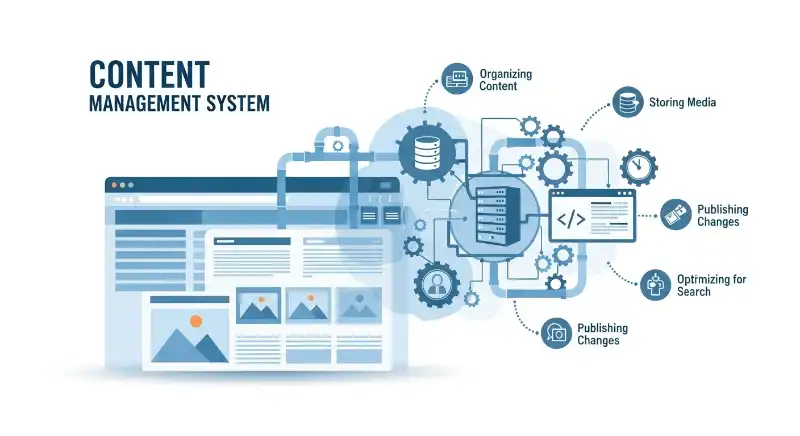
When you click buttons inside a CMS, a lot is happening quietly in the background. But you don’t need to understand the technical side to benefit from it.
That’s the beauty of CMS—it hides complexity.
How does a content management system work?
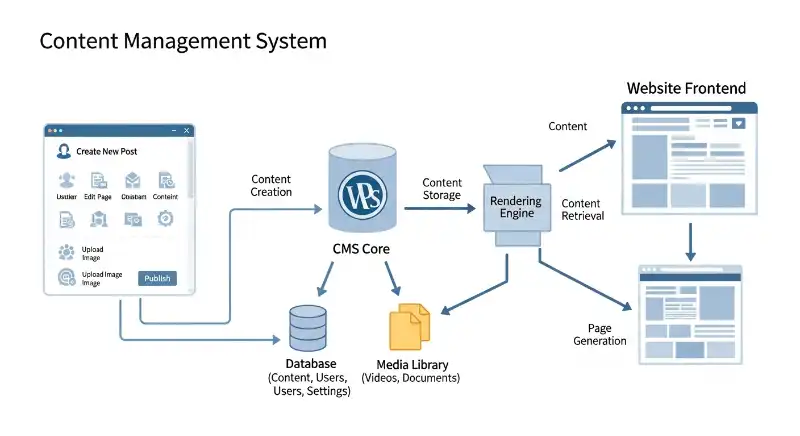
Behind the scenes, a CMS:
- Stores content in a database
- Applies a design template
- Displays content to visitors
Users interact with the backend, while visitors see the frontend.
Example:
You publish an article in the dashboard → the CMS formats it → readers see it live on the site.
What is the role of themes and plugins in a CMS?
Themes control how the site looks.
Plugins control what the site can do.
Together, they turn a basic CMS into a powerful system.
Example:
Installing a theme changes design instantly. Adding a plugin adds features like contact forms or SEO tools.
People think CMS Meaning is just WordPress—here’s why that’s incomplete
WordPress dominates conversations about CMS, but it’s only one option in a much bigger ecosystem. Many platforms exist because different needs require different tools.
Understanding this prevents poor platform choices.
What are popular CMS examples?
Some well-known CMS platforms include:
- WordPress (most popular)
- Joomla (more structured)
- Drupal (highly customizable)
Each serves a different audience.
Example:
A blogger chooses WordPress, while a government site may choose Drupal for advanced control.
Is WordPress really a CMS?
Yes—WordPress is absolutely a CMS.
It just became so popular that people confuse it with “websites” themselves.
Example:
A beginner says, “My website is WordPress,” when WordPress is actually the system running it.
The CMS Meaning types no one explains clearly (but everyone should know)
Most people think all CMS platforms work the same way. In reality, there are different types of CMS, built for different goals. This is where confusion usually starts—and bad decisions follow.
Understanding CMS types is like understanding vehicles. A bicycle, a car, and an airplane all “transport,” but they’re built for very different journeys.
What are the different types of CMS?
Broadly, CMS platforms fall into a few main categories:
- Open-source CMS – Free, customizable, community-driven
- Proprietary CMS – Paid, controlled by a company
- Cloud-based CMS – Hosted online, low maintenance
- Enterprise CMS – Built for large organizations
Each type trades flexibility for control, or simplicity for power.
Example:
A startup chooses an open-source CMS for flexibility, while a large corporation prefers a proprietary CMS for guaranteed support.
What does headless CMS mean (in simple terms)?
A headless CMS separates content from design. It stores content in one place and sends it to websites, apps, or devices through APIs.
Think of it as a content warehouse that supplies many storefronts.
Example:
The same content appears on a website, mobile app, and smartwatch—all powered by one headless CMS.
CMS vs building a website from scratch—what’s the real difference?
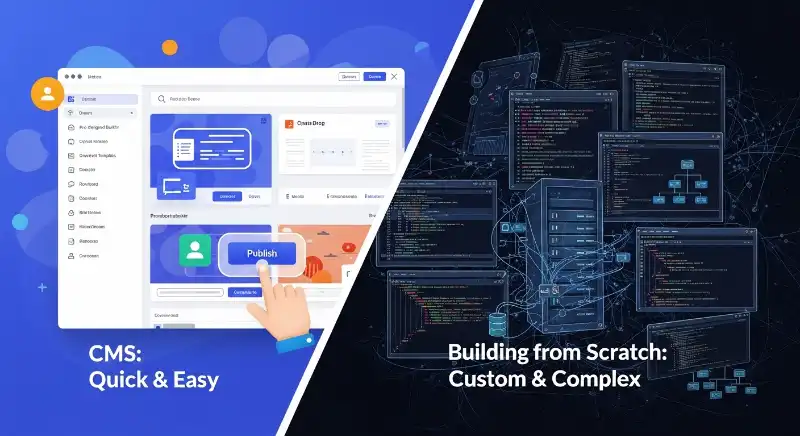
This is one of the most common beginner questions—and a very fair one. Should you use a CMS, or code everything manually?
The answer depends on control vs convenience.
What is the difference between CMS and static websites?
A static website is hand-coded and changes only when someone edits the code.
A CMS-based website is dynamic—it updates content without touching code.
Example:
Updating a static site means editing HTML files. Updating a CMS site means changing text in a dashboard and clicking “Update.”
Is CMS better than coding a website manually?
CMS is usually better for:
- Speed
- Content-heavy sites
- Non-technical users
Manual coding is better for:
- Custom performance needs
- Lightweight projects
- Full design control
Example:
A developer uses CMS for a blog but hand-codes a landing page for speed.
The biggest CMS advantages people love—and the drawbacks they ignore
CMS platforms feel magical at first. Everything is easy, fast, and accessible. But like any tool, they come with trade-offs.
Being aware of both sides helps avoid frustration later.
What are the main advantages of a CMS?
People love CMS because it offers:
- Easy content updates
- Team collaboration
- Scalability
- Built-in SEO support
It turns websites into living systems instead of frozen pages.
Example:
A marketing team publishes daily content without waiting for a developer.
What are the disadvantages of using a CMS?
Common drawbacks include:
- Performance issues if overloaded
- Security risks if not maintained
- Plugin dependency
CMS isn’t “set and forget”—it needs care.
Example:
A site becomes slow after installing too many plugins.
Do you really need technical skills to understand CMS Meaning?
This question scares many beginners away before they even start. The honest answer? No—but it helps over time.
CMS is designed to grow with you.
Do you need coding skills to use a CMS?
For basic use:
- ❌ No coding required
For advanced customization:
- ✅ Basic HTML/CSS helps
- ✅ JavaScript/PHP is optional
Example:
A non-technical user runs a full blog without writing a single line of code.
Can beginners easily learn CMS?
Yes—especially in 2026.
Why?
- Better interfaces
- Built-in tutorials
- AI-assisted editing
Learning CMS today is easier than learning social media was ten years ago.
Example:
A student launches their first blog in a weekend using guided CMS tools.
Is CMS still relevant, or is something replacing it?
With AI, no-code tools, and automation rising, many wonder if CMS is becoming obsolete. The truth is more interesting.
CMS isn’t disappearing—it’s evolving.
Is CMS still relevant in 2026?
Yes—very much so.
CMS now integrates with:
- AI writing assistants
- Automation tools
- Multi-platform publishing
It adapts instead of resisting change.
Example:
A CMS suggests content improvements using AI before publishing.
What is the future of CMS?
The future of CMS includes:
- AI-powered content management
- Headless and hybrid systems
- Personalization at scale
CMS is moving from “content storage” to content intelligence.
Example:
A CMS automatically personalizes content for different users.
FAQs
What does CMS mean?
CMS means Content Management System—a tool that helps you create, edit, and manage website content without coding.
Is WordPress a CMS?
Yes. WordPress is the world’s most popular CMS, used for blogs, business websites, and online stores.
Do I need coding skills to use a CMS?
No. Most CMS platforms are designed for non-technical users, though coding helps with advanced customization.
What is the difference between CMS and a website?
A website is what users see. A CMS is the system behind it that lets you manage and update content.
Is CMS still relevant in 2026?
Yes. Modern CMS platforms now integrate AI, automation, and multi-platform publishing, making them more powerful than ever.
Conclusion
A CMS (Content Management System) is not just a technical tool—it’s the reason millions of people can run websites without being programmers. At its core, a CMS helps you create, manage, and update content easily, whether that’s blog posts, pages, images, or videos.
What confuses most beginners is that CMS quietly works in the background. You use it every day—editing text, clicking publish, updating pages—without realizing how much heavy lifting it’s doing for you. From personal blogs to business websites and large organizations, CMS platforms have become the backbone of the modern web.
Looking ahead to 2026, CMS is not fading away. It’s evolving with AI, automation, and headless architecture, making content faster to manage and easier to personalize. If you understand what a CMS really is, you’re already one step ahead in the digital world.
The hidden truth behind what GTS actually means
ICYMI Full Form Explained Simply

Mush explores trending words, viral slang, and social media phrases, explaining them in simple English with fun examples for everyone.