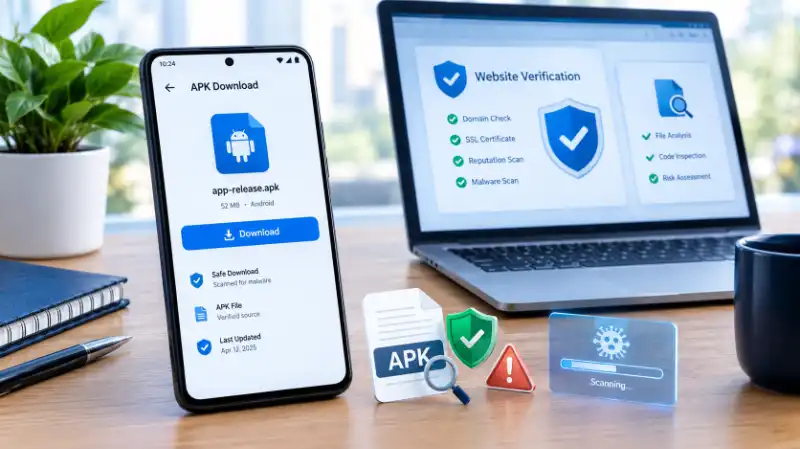
If you searched for Barapk Org, you may be trying to find an Android app, an older app version, a game, or a modified APK that is not available through your usual app store. But before downloading anything, there is a more important question: what exactly is Barapk.org, and how much can you actually verify about the files offered through it?
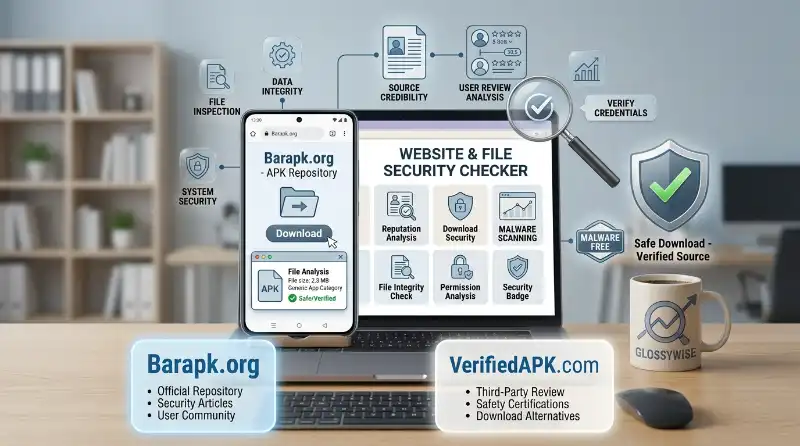
Barapk.org is discussed online as a third-party APK-related website rather than an official Android app store such as Google Play. However, information about the site varies across third-party sources, so it is important to separate what can be verified from what websites merely claim.
If your real concern is whether you should download an APK from Barapk.org, this guide will help you check the site, understand the risks, inspect an APK before installing it, and know what to do if you have already installed something suspicious.
What Is Barapk.org Actually Used For?
Barapk.org is associated online with APK downloads for Android applications and games. An APK, or Android Package Kit, is the installation file Android uses to install an application.
The important distinction is that downloading an APK directly from a website is different from installing an app through an official app marketplace. With an official store, the platform provides additional checks, distribution controls, update mechanisms, and information about the publisher.
A third-party APK website may instead provide the APK file directly to the visitor.
Why would someone search for Barapk.org?
People generally look for third-party APK sources when they want something such as:
- An app unavailable in their region
- An older version of an application
- An Android game that is difficult to find
- An APK outside Google Play
- A modified or “mod” version
- A particular APK version rather than the newest release
That explains the search interest, but availability does not automatically establish that a particular file is trustworthy.
Is Barapk.org an official Google Play alternative?
No public information reviewed for this article establishes Barapk.org as an official Google-operated Android marketplace.
That matters because the normal protections associated with Google Play should not automatically be assumed to apply when you download an APK from an independent website.
So the safer way to think about Barapk.org is:
Treat it as a third-party APK source and evaluate the specific website and APK file independently.
What Can You Actually Verify About Barapk.org?
This is where many articles about Barapk.org become confusing. Some pages describe the website confidently as a particular type of APK repository, while other sources provide broad descriptions without showing how those claims were verified.
A careful review should therefore separate site identity, reputation signals, and claims made by third parties.
What is reasonably clear?
Online references associate the Barapk name with Android APK downloads, applications, games, and in some cases modified APKs or older versions.
However, third-party descriptions are not the same thing as official documentation from the site’s operator.
What remains uncertain?
Several questions should be checked rather than assumed:
- Who officially operates the website?
- Is the operator publicly identifiable?
- Are individual APK files consistently verified?
- Are all listed files original or modified?
- How are old versions sourced?
- Are file hashes published?
- Does the site provide verifiable publisher information?
- Does the website maintain a transparent security process?
This distinction is important because a website can exist and distribute APK files without proving that every file hosted there is safe.
Why do different websites describe Barapk.org differently?
One reason is that many articles about APK websites rely on general knowledge about third-party APK repositories instead of documenting the exact site.
That can create a chain where one article repeats another article’s description until a general claim begins to look like a verified fact.
For this reason, statements such as “every APK is scanned,” “all files are safe,” or “the site is completely legitimate” should not be accepted merely because another review says so.
Is Barapk.org Safe to Use?
There is no responsible way to reduce the answer to a simple “yes” or “no” without checking the specific website and APK involved.
Third-party reputation services can provide useful signals, but automated scores are not proof that every APK on a site is safe. Likewise, the absence of a detected threat does not guarantee that a file is harmless.
The most useful question is therefore:
Can you independently verify the APK you are about to install?
Why the website alone is not enough
Suppose a website itself appears technically normal. That still does not prove that an APK uploaded or distributed through it is safe.
An APK can potentially contain:
- Malicious code
- Aggressive advertising components
- Unwanted trackers
- Excessive permissions
- Modified functionality
- Credential-stealing behavior
- Hidden background activity
The risk becomes even more important when the APK has been modified from the original developer release.
What should make you cautious?
Pay particular attention when a download page:
- Uses several fake-looking download buttons
- Redirects you through unrelated pages
- Claims an app is “premium unlocked”
- Promises paid features for free
- Requests unusual permissions
- Provides little information about the publisher
- Offers an unexplained modified APK
- Gives no verifiable version or release information
- Makes exaggerated security claims without evidence
One warning sign does not automatically prove malware. But several warning signs together should make you stop and investigate before installing anything.
What Makes an APK Download Risky?
The biggest mistake is thinking that “APK” itself means dangerous.
APK is simply the Android application package format. Legitimate developers distribute APK files too.
The important issue is where the APK came from and whether the file has been changed.
Original APK vs modified APK
An original APK is generally distributed by the developer or an authorized source.
A modified APK may have been altered by another party to change its behavior.
That modification could theoretically add legitimate changes, but it could also introduce unwanted code.
This is why “Mod APK,” “Premium Unlocked,” “Unlimited Coins,” or similar promises deserve additional scrutiny.
Why permissions matter
Imagine a simple flashlight application requesting access to contacts, SMS messages, microphone, and accessibility features.
That does not automatically prove malicious behavior, but the permissions deserve an explanation.
Ask:
Does the requested access make sense for what this app is supposed to do?
If the answer is no, stop before installing.
How Can You Check an APK Before Installing It?
The safest approach is to investigate the specific file, not just the website name.
Step 1: Identify the original developer
Find the application on its official website or an established app marketplace.
Compare:
- App name
- Developer name
- Version
- Release date
- Package name
- Official website
- App description
If these details do not match, investigate further.
Step 2: Check the APK file
If you already downloaded the APK, you can use a reputable malware-scanning service to analyze the file before installation.
Do not treat one clean scan as an absolute guarantee. Different security tools can produce different results, especially with newly modified or obscure files.
Step 3: Check permissions
Look at the permissions requested by the application.
Ask whether each permission makes sense for the application’s purpose.
For example, a messaging application may reasonably need microphone access for voice messages. A basic calculator requesting access to SMS messages deserves much more scrutiny.
Step 4: Compare the version
If Barapk.org offers an APK that claims to be version 10.2 while the developer’s official source currently lists version 10.1, do not assume the third-party version is legitimate simply because it is newer.
It could be:
- A legitimate early release
- A modified version
- A mislabeled file
- An unofficial build
Verification matters.
Step 5: Check the signature when possible
Android applications use cryptographic signing to identify the signer of an APK.
When you can compare the signing certificate of a downloaded APK with a known official version, that can provide stronger evidence about whether the package came from the same signing source.
This is much more useful than simply trusting a webpage saying “100% safe.”
What Changes When You Download a Mod APK?
A mod APK deserves separate attention because it may not be the same software originally published by the developer.
A modification can change:
- App features
- Advertising
- In-app purchases
- Game resources
- Authentication behavior
- Network behavior
- Permissions
- Internal code
Some users specifically search Barapk-related pages because they want these modified versions.
The problem is that you are no longer evaluating only the original developer’s software. You are also evaluating who modified it and what they changed.
Why “premium unlocked” should not automatically be trusted
A claim such as “Premium Unlocked” explains what the uploader says the APK does. It does not tell you:
- Who modified it
- What code was changed
- Whether the modification is safe
- Whether your account could be exposed
- Whether the APK communicates with unknown servers
That is why modified APKs generally require more scrutiny than an unchanged APK obtained directly from the developer.
Is Downloading APKs Legal?
Downloading an APK is not automatically illegal simply because it is an APK file.
The legal issue can depend on what the application is, who owns it, how it is distributed, and whether copyright or other rights are being violated.
For example, an independent developer may legitimately provide an APK outside Google Play.
The situation can be different when an APK is redistributed without authorization, bypasses paid access, or contains copyrighted software distributed against the rights holder’s terms.
What about modded or cracked apps?
This is where legal and security questions can overlap.
A modified application may violate the developer’s license or distribution rights, depending on what was changed and how it is distributed. In addition, modified APKs can introduce security risks that have nothing to do with whether the underlying app itself is legitimate.
So do not use “APK” and “illegal” as synonyms. They are not the same thing.
What Should You Do If You Already Installed a Suspicious APK?
If you have already installed an APK from Barapk.org or another unfamiliar source and something seems wrong, do not simply ignore it.
Start by looking for unusual behavior.
Watch for these warning signs
Be cautious if your phone suddenly experiences:
- Unusual pop-up advertisements
- Battery drain
- Unexpected data usage
- Unknown apps appearing
- Browser redirects
- New accessibility permissions
- Suspicious notifications
- Account login alerts you did not initiate
- Apps opening or closing unexpectedly
None of these symptoms alone proves that an APK is malicious, but unexpected changes deserve investigation.
What should you do next?
If you no longer trust the application:
- Disconnect the device from sensitive activity if necessary.
- Uninstall the suspicious application.
- Review the permissions it had.
- Run a reputable mobile security scan.
- Check important account activity from a trusted device.
- Change passwords if you have reason to believe credentials were exposed.
- Remove unfamiliar device-admin or accessibility access.
- Keep Android and your security software updated.
If the device continues behaving abnormally after removal, consider professional technical assistance or a full device reset after securing your important data.
What Are Safer Alternatives to Barapk.org?
If an application is available through an official source, that source is generally the first place to check.
Depending on the application, you may consider:
- Google Play
- The developer’s official website
- The application’s official GitHub repository, when applicable
- A reputable manufacturer or platform store
- A developer-provided APK download page
The key advantage is not simply the name of the store. It is the ability to establish where the software came from and whether the file corresponds to the legitimate developer release.
If an app is unavailable in your country, look for an official regional release or a legitimate developer distribution channel before turning to an unknown APK.
What Is the Safest Way to Think About Barapk.org?
The most useful conclusion is not that every file associated with Barapk.org is dangerous, nor that every file is safe.
Instead, treat the site as a third-party APK source that requires file-level verification.
Before installing anything, ask:
- Do I know who published this app?
- Can I find the official version?
- Does the version match?
- Is this an original or modified APK?
- Have I checked the file?
- Do the permissions make sense?
- Is the download page behaving normally?
- Do I actually need this APK from a third-party source?
If you cannot answer these questions confidently, the safer choice is to find an official distribution channel.
FAQ About Barapk.org
Is Barapk.org an official app store?
No public evidence reviewed establishes Barapk.org as an official Google-operated Android app store. It is discussed online as a third-party APK source.
Is every APK on Barapk.org dangerous?
That cannot be established from the website name alone. The security of an individual APK depends on its origin, integrity, modifications, permissions, and other factors.
Is Barapk.org safe for Android?
There is not enough reliable evidence to treat the entire domain as automatically safe or automatically unsafe. Evaluate the specific APK and verify its source before installing it.
What is a mod APK?
A mod APK is an Android application package that has been modified from an original application. The modification may change features or behavior and can introduce additional security or legal concerns.
Can an APK contain a virus?
Yes. An APK is software, so a malicious APK can contain harmful code. This is why the source and integrity of the file matter.
Should I install an APK from an unknown website?
If an official source exists, it is generally preferable to obtain the application there. If you must use a third-party source, verify the developer, version, file, permissions, and security signals before installation.
What if I already installed a suspicious APK?
Uninstall it, review its permissions, run a reputable security scan, monitor important accounts, and investigate any unusual device behavior. If you suspect credential theft, secure your accounts from a trusted device.
Final Takeaway
Barapk.org should not be judged solely by the fact that it offers APK files. APK is simply an Android package format. The real questions are where a particular APK came from, whether it has been modified, whether its publisher can be verified, and whether its behavior and permissions make sense.
That distinction gives you a much more reliable way to evaluate Barapk.org than simply accepting a “safe” or “unsafe” label. Verify the exact APK before you install it, and use an official developer or app-store source whenever one is available.